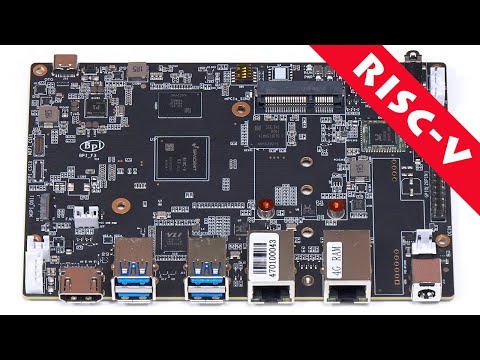
In today’s video, we’re unboxing the Banana Pi BPI-F3, a powerful RISC-V development board perfect for AI applications, industrial automation, and multimedia projects. This single-board computer offers impressive performance with its octa-core RISC-V processor, dual Gigabit Ethernet, and WiFi/Bluetooth connectivity. Whether you’re a developer, hobbyist, or enthusiast, the BPI-F3 offers a variety of features that make it a versatile solution for your next project. In this unboxing, we’ll take a closer look at all the features and ports available on the board, including its expansion options, M.2, and GPIO headers for development and prototyping. Buy Banana Pi BPI-F3 Amazon US: AliExpress: More Information: Download Balena Etcher: #download-etcher Contents: 00:00 - Intro: Overview of the Banana Pi BPI-F3 00:32 - Unboxing the BPI-F3: What’s Inside the Box 01:00 - Key Features: Processor, RAM, Storage, and Connectivity 02:42 - Ports Overview: HDMI, USB, Ethernet, and Power Inputs 04:14 - Expanding Your Project: PCIe, GPIO, and Camera Interfaces 07:32 - Installing an OS: Setting up the BPI-F3 for First Use 08:45 - Operating System Setup: Bianbu OS and Initial Configuration 12:30 - Performance Test: Running Apps and Monitoring System Resources 13:52 - Conclusion: Final Thoughts and Future Projects #Bananapi #sbc #singleboardcomputer #technology #tech #unboxing Stay tuned for more tips and tricks to make the most out of your devices. Remember to like, subscribe, and hit the notification bell for more tech tutorials. Subscribe Now: Buy me a Coffee: Background Music: Otis McDonald - Not For Nothing © 2025 #YOURTECHEXPERT
- 1029Просмотров
- 10 месяцев назадОпубликованоYOUR TECH EXPERT
Banana Pi BPI-F3 Unboxing & Running Bianbu OS – RISC V Single Board Computer
Похожее видео



Популярное
Новини