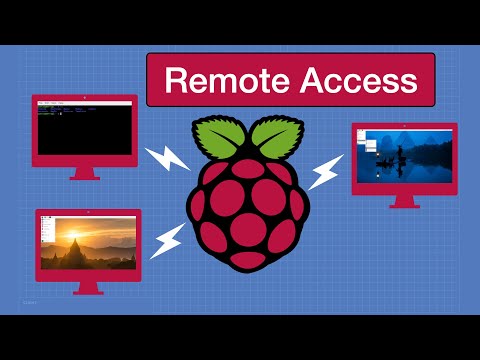
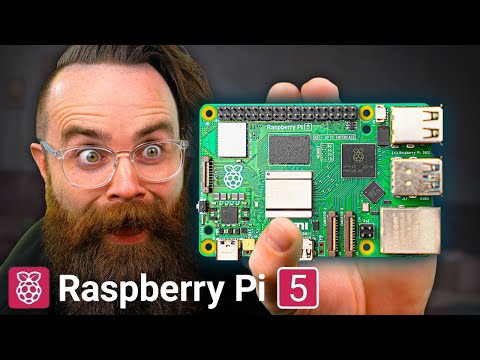
🎁 Free Pi First-Boot Cheat-Sheet: Want to set up your Raspberry Pi 5 ? I got you! Video Overview In this step-by-step Raspberry Pi 5 tutorial, we cover everything from unboxing and hardware overview to installing the OS, enabling remote access, and even creating a quick LED blink project. Whether you’re a beginner or just curious about the Pi 5’s new features and performance, this guide will help you get started fast. 🛠 Parts: - Raspberry Pi 5 (8GB) — - Get Raspberry Pi 5 from Walmart -- - Official 27W USB-C PSU (5V/5A) — - Active cooler / fan case — - microSD (A2 / High-Endurance, 64–128GB) — - Micro-HDMI → HDMI cable — - (Optional) M.2 NVMe HAT(Pi 5 PCIe 2.0 ×1) — - (Optional) Breadboard LED kit (5 mm LEDs, 330 Ω resistors, jumpers) — Timestamps 00:00 – Introduction to Raspberry Pi 5 00:32 – Unboxing & Hardware Overview 01:09 – Setting Up Your Micro SD Card 02:49 – Installing the Raspberry Pi OS 03:29 – First Boot & Basic Configuration 04:01 – Customizing Your Desktop & Preferences 05:03 – Quick Desktop Tour 05:32 – Remote Access (SSH & VNC) 06:05 – Updating & Upgrading Software 07:03 – Installing Additional Software (Chromium) 07:37 – Basic Python Programming 08:13 – LED Blink Project with GPIO Pins 09:25 – Troubleshooting Common Issues 09:56 – System Maintenance & Backup 10:24 – Conclusion & Next Steps Key Takeaways Unboxing & Setup: Connect power, keyboard, mouse, and display with ease. OS Installation: Flash the official Raspberry Pi OS to your microSD card and configure the system. Remote Access: Enable SSH & VNC for headless control. GPIO Basics: Learn how to blink an LED with Python. Maintenance & Troubleshooting: Keep your Pi running smoothly and resolve common issues quickly. Get the LED Script & Bonus PDF Access the complete Python code for the LED blink project here: Also, subscribe to my free newsletter to grab the “Pi Spark: 10-Command Jumpstart” PDF—your quick guide to mastering essential Raspberry Pi commands! Disclaimer All information and results in this video are based on my personal experience. Your results may vary due to hardware differences, user error, or unique project requirements. Always consult official Raspberry Pi documentation for the most accurate and up-to-date guidelines. Thank You! If you found this tutorial helpful, please like, subscribe, and turn on notifications for more Raspberry Pi content. Ready to master PI? Join our free community at 5 Essential Raspberry AI Pi Prompts: Happy hacking!
- 103561Просмотров
- 11 месяцев назадОпубликованоRaspBerry Pi Made Easy
Raspberry Pi 5 setup | Full Tutorial for Beginners (2025)
Похожее видео




Популярное
Новини