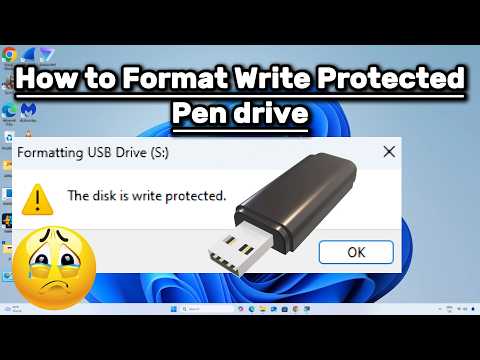
SD card won't format? How to fix Windows was unable to complete the format? In today's video, I will show you 4 ways to fix it. Moreover, If you need to recover data, try 4DDiG Data Recovery ( ) #sdcardwontformat #windowswasunabletocompletetheformat #4ddig 🎁CMD Commands in video: 🎈Method 2: diskpart list volume format fs= "your file system: NTFS or exFAT or FAT32" 🎈Method 3: diskpart list disk select disk # attributes disk clear readonly 🎈Method 4: chkdsk (your drive letter) :/f/r/x 📌Timestamps: 00:00 Intro 00:25 Method 1: Format SD Card In Disk Management 00:47 Method 2: Format SD Card By Diskpart Command 01:29 Method 3: Remove Write Protection From SD Card 02:39 Method 4: Check And Repair The Bad Sectors 03:02 Bonus: How To Recover Formatted SD Card By Free? 📎Related Article: How to Fix SD Card Won't Format on Windows 11/10/8/7? 🔎Related Guide: 4DDiG Guide: How to Use 4DDiG Windows Data Recovery 🎥Related Video: (5 Ways) Fix SD Card Won't Format Windows 10 | How to Fix Windows Was Unable to Complete the Format? 🎨How To Fix SD Card Won't Format In Windows 11/10? 🎈Method 1: Format SD Card In Disk Management. Right-click the Start menu, and choose Disk Management Right-click your SD card, and pick Format. In this window, you can choose a file system, like FAT32, NTFS and exFAT. Finally, click OK to format the SD card. 🎈Method 2: Format SD Card By Diskpart Command. Press Win key and R key. Type cmd and hit enter to open the command prompt. Type diskpart to run Diskpart Utility, and hit enter. Type list volume to list the partitions. Remember the number to your SD card, and type select volume # Then, type format fs=“file system”. File system refers to NTFS or FAT32 to format the partition. 🎈Method 3: Remove Write Protection From SD Card. To remove Write Protection, you can toggle the read-only switch on SD card. Or you can use command prompt. First, press Win key and R key Type cmd and hit enter to open the command prompt. Type diskpart to run Diskpart Utility, and hit enter. Then, type list disk, and hit enter. Next, type select disk # Finally, type attributes disk clear readonly 🎈Method 4: Check And Repair The Bad Sectors. First, press Win key and R key, and type cmd to call command prompt. Then, type the command: chkdsk (your drive letter) :/f/r/x This command will check and repair the bad sectors from the SD card, and fix SD card won't format error. 🎁Bonus: Use 4DDiG Data Recovery Free Download and install 4DDiG Data Recovery. Launch it, and you will see the homepage. Click the share button, you will get 100MB free to try. Now, select the location, and scan it. Select the types you wanna scan. 4DDiG starts to scan and find all possible data from the drive. Once you find the file, select it, click recover, and save it to a different location. -------------------------------------------- Follow Us ---------------------------------------- Facebook: Twitter: Quora Space: Pinterest: Instagram: Subscribe to our YouTube channel and there are more tech tips and tricks for you.
- 13005Просмотров
- 1 год назадОпубликованоTenorshare 4DDiG Data Recovery
(2025)Fix SD Card Wont Format Windows 11/10 | How to Fix Windows Was Unable to Complete the Format?
Похожее видео







Популярное
Новини