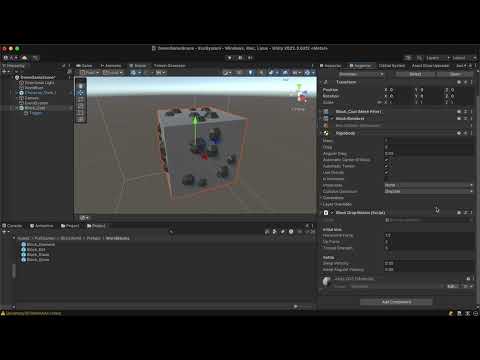
In this lesson, we put Unity’s scene tools into action. You’ll learn how to select, move, rotate, and scale objects, understand global vs local axes, work with origins, test in Game View, and use the Console to debug and preview your project. Welcome to Section 2 of the Unity Editor lesson. Now that you understand the Scene View and core tools, this lesson focuses on practical object manipulation inside Unity. We explore how to select objects, use Move/Rotate/Scale properly, understand global vs local axis directions, and work with object origins. You’ll also learn about parenting objects, creating empties, grouping, and how object structure affects your scene. We then switch to the Game View to understand how testing works and use the Console Window to preview warnings, errors, and developer logs. These concepts are essential for both scene building and debugging as your projects grow. What you’ll learn in this video: ✔ Selecting & transforming objects ✔ Move, Rotate, and Scale — in practice ✔ Global vs Local axis ✔ Object origins & pivots ✔ Parenting & grouping ✔ Using empty objects ✔ Scene View vs Game View ✔ Console window overview ✔ How developers test, preview, and troubleshoot This lesson prepares you for Section 3, where we dive into the Hierarchy, Inspector, Project panel, and building your first prefab. 00:00 Intro to Section 2 00:25 Reviewing Scene Tools from Section 1 01:10 Selecting Objects in the Scene 01:55 Using the Move Tool (Position) 03:10 Rotate Tool Explained 04:00 Scale Tool & Uniform Scaling 04:41 Creating Empty Objects 05:15 Origins, Pivots, and Why They Matter 06:50 Global vs Local Axes 08:15 Parenting & Grouping Objects 09:40 Scene View vs Game View 10:20 Entering Play Mode & Testing 11:30 Game View Settings & Previewing 12:45 Console Window Overview 14:10 Understanding Errors, Warnings & Logs 15:30 How Devs Use Console for Debugging 16:25 Transition to Section 3 (Inspector, Project, Hierarchy) #unity #unity3d #gamedev #gamedevelopment #unitytutorial #learnunity #unitybeginner #csharp #devforward #unitytips
- 6Просмотров
- 1 неделя назадОпубликованоdevforwardio
How To Control Objects In Unity (Easier Than You Think)
Похожее видео









Популярное
Новини