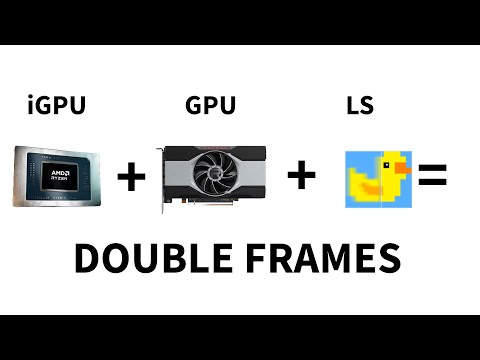
Want free FPS boosts without new hardware? The new Lossless Scaling 3.0 update isn’t just an upscaler anymore — it’s a frame generation powerhouse that can double or even triple your FPS while keeping latency low. In this video, I’ll show you: How to set up Frame Generation (LSFG 3.0) the right way The secret iGPU trick for laptops How to stack FSR upscaling + frame gen for max FPS Advanced tuning (Qtarget, Flow Scale, Capture API) for buttery smooth gameplay Pro tips for capping FPS, using V-Sync, and lowering input delay 🛠️ Commands, Paths & Tools Used 1. Lossless Scaling Setup Update to LSFG 3.0 Modes: Fixed Mode: 2x, 3x (clean multipliers only) Adaptive Mode: Target FPS lock (smoother for fluctuating frame times) 2. Advanced Settings Flow Scale → Adjust blending strength (higher = smoother, more GPU load) Capture API: Windows 11 24H2+: WGC (Windows Graphics Capture) Windows 10 / older: DXGI Qtarget: 0 = Ultra Low Latency 1 = Balanced (recommended) 2 = Heavy Load Compensation 3. Hidden iGPU Trick (Laptop Users) dGPU renders base frames iGPU generates filler frames Works only on internal laptop display (HDMI/DP bypasses this) 4. FSR + Frame Gen Combo Lower in-game resolution (e.g. 1080p → 720p) Open LS → Custom Mode → Enable Resize Before Scaling Multipliers: = Ultra Quality = Quality = Balanced = Performance Then stack Frame Generation: Fixed Mode + RTSS Cap (45 → FG → 90 FPS) Adaptive Mode auto adjusts 5. Pro Gamer Tweaks Use RTSS (RivaTuner Statistics Server) to cap FPS just below your GPU’s stable average V-Sync: VRR monitors → OFF Non-VRR → Enable after FG for smoother frame pacing Save multiple LS profiles per game (Shooter = low latency, RPG = balanced smoothness) 🚀 Steps Covered Setup LSFG 3.0 (Fixed & Adaptive) Tune Flow Scale & Capture API Master Qtarget for latency/stability Use iGPU + dGPU split for laptops Stack FSR upscaling with Frame Gen Cap FPS & configure V-Sync properly Build per-game Lossless Scaling profiles 💬 Comment your GPU + FPS results below — I want to hear the insane gains you get with these settings!
- 46878Просмотров
- 3 месяца назадОпубликованоThe Software Guy
Double FPS & Fix Stutters – Lossless Scaling 3.1 Guide
Похожее видео



Популярное
Новини