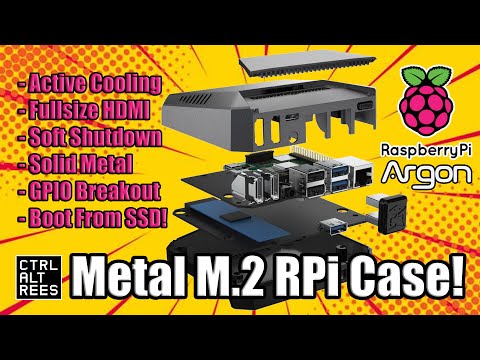
The Raspberry Pi 4 is a common choice to install HomeAssistant on due to it's small size, reputation, and community support. In this video I will talk about the pro's and con's to installing HomeAssistant on your Raspberry Pi 4 and walk you through the installation of Home Assistant on to an SSD , step-by-step. I STRONGLY recommend that you take the extra time, money, and effort to install HomeAssistant onto an SSD as the SD card will fail after 24/7 constant writing that Home Assistant does with its logging. Time Stamps: 00:00 Introduction 00:20 2 Types of Installation 00:52 Option 1 Explanation 01:30 Option 2 Explanation 01:48 Shopping List 03:53 Assembly of the Argon One 07:34 MicroSD Card Preparation 10:53 First Boot into Raspberry Pi OS + Flashing SSD with HomeAssistant 13:05 First Boot into HomeAssistant OS 13:40 Wifi Setup from Command Line - Argon One Assembly : - Micro-SD Card Preparation: - Installation Option 2 if not using an Argon One - - Wifi Setup on HomeAssistant OS : Link to Raspberry Pi Imager: Commands to Setup Wifi via Command Line: network info network update wlan0 --ipv4-method auto --ipv6-method auto --wifi-auth wpa-psk --wifi-mode infrastructure --wifi-ssid WIFI-NAME --wifi-psk WIFI-PASSWORD Replace WIFI-NAME and WIFI-PASSWORD with your network information, use quotes if there's spaces If you would like to support my channel, I have linked the following products mentioned in my video from Amazon that I will make a small commission off of, if you buy it using my below links. I've included the price at time of posting for comparison sake. Amazon Affiliate Links: - Raspberry Pi 4: - Argon One SSD Case for Raspberry Pi 4($47): - Official Raspberry Pi USB-C Power Adapter ($8): - Western Digital Blue 1TB -SATA- M.2 SSD (For Argon One) ($45): - SanDisk 128GB Ultra microSDXC UHS-I Memory Card with Adapter ($1 more than 64GB)($11) : - MicroSD Card Reader ($11): - Alternative SATA SSD's : - Samsung M.2 -NVME- 1TB (won't work with Argon One)($50) : NVME SSD to USB Enclosures: - UGREEN SSD Enclosure, Tool-Free USB C External, 10Gbps M.2 NVMe to USB Adapter ($25): - SSK Aluminum M.2 NVME SATA SSD Enclosure Adapter, USB 3.2 Gen 2 (10 Gbps) to NVME PCI-E SATA M-Key($17):
- 38745Просмотров
- 2 года назадОпубликованоChuckBuilds
How to Install HomeAssistant on Raspberry Pi 4 with SSD - Argon One Step by Step
Похожее видео





Популярное
Новини