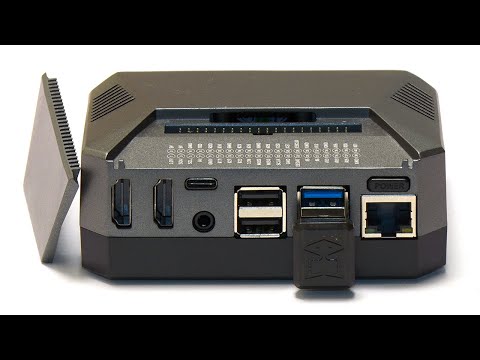
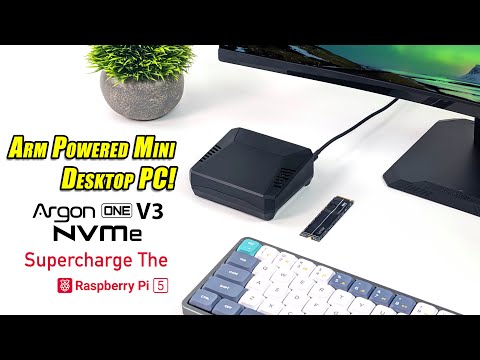
The Argon One M.2 is a solid metal case for the Raspberry Pi 4 which offers some really excellent features, including configurable active cooling, 2x fullsize HDMI ports, smart power button / soft shutdown, easily accessible GPIO and perhaps most importantly, the ability to boot from an M.2 SSD. It does have a few minor issues that mean it might not be suitable for all purposes, and the M.2 setup can be fiddly if you don't have an M.2 USB adapter to plug into your PC. So join me as I give my impressions and get this thing up and running with the latest Raspberry Pi OS Bullseye! Support the channel! Patreon: Become a Member: Ko-Fi: Relevant Links: Buy From The PiHut (Not Affiliated / Sponsored): DiskMark Benchmark ARM Build: Raspberry Pi Imager: Argon IR Remote: VIP Superfans: Action Retro: Arthur Ludwiczak BitterBlitter D. 'Xalior' Rimron-Soutter: Gary Pinkett James Rodgers Kevin Leah Mr Lurch: Naoki Saito: Woz Brown: Socials: Official ctrl-alt-rees Discord: Twitter: Instagram: Chapters: 00:00 Introduction To The Argon One M.2 Raspberry Pi 4 Case 02:25 Assembly - Unboxing & Features 05:45 Assembly - HDMI & AV breakout board / port expander 06:36 Assembly - Thermal Pads & Top Case 08:33 SD Card Imaging Using Raspberry Pi Imager HOWTO 10:11 Assembly - Installing The M.2 SSD Into The Case & USB Connection 11:45 Assembly - Power Button Jumper Setting 12:20 Assembly - M.2 Bottom Case Fitting & Connection 12:50 First Boot & Setup 13:04 Installing The Argon One Fan Control & Power Button Script HOWTO 14:32 Configuring The Fan Speeds Using The Argon One Fan Control Script HOWTO 15:26 Note On Argon One Official IR Remote Control Setup 15:49 Benchmark With SD Card 17:02 SSD Installation Of Raspberry Pi OS Using SD Card Copier HOWTO 18:49 Raspberry Pi 4 EEPROM Bootloader Update & USB SSD / SD Boot Order HOWTO 20:15 M.2 SSD First Boot On The Raspberry Pi 4 20:58 Benchmark With M.2 SSD 21:33 Removing The SD Card / Final Assembly / Outro Thanks & Conclusions #raspberrypi #ssd #howto
- 23943Просмотров
- 4 года назадОпубликованоctrl-alt-rees
Raspberry Pi 4 Argon One M.2 SSD Metal Case Review & Assembly / Setup HOWTO Guide
Похожее видео







Популярное
Новини