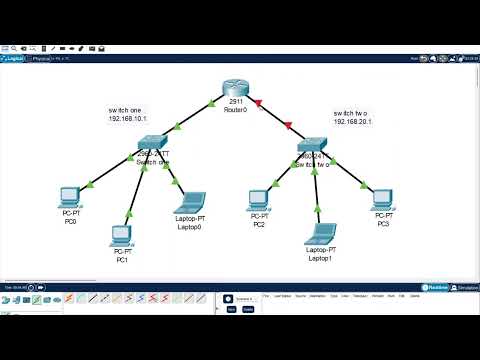
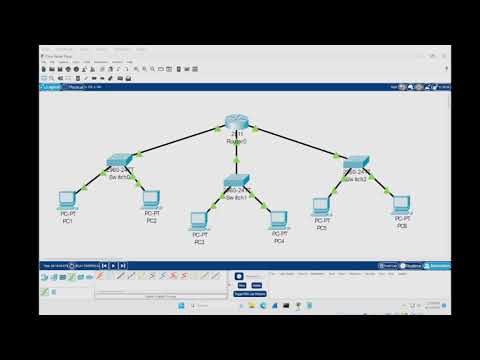
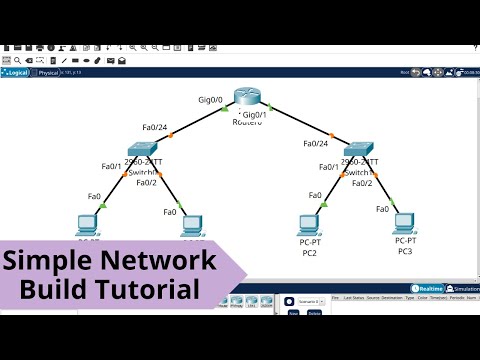
Learn how to configure a DHCP server with multiple switches in CISCO Packet Tracer in this step-by-step tutorial. We will walk you through setting up the DHCP server, configuring multiple switches, and ensuring seamless IP address distribution across your network. This tutorial is perfect for anyone looking to manage a more complex network setup using CISCO Packet Tracer. For the full tutorial and others, visit The text steps - set DHCP server first - set static (the default gateway for switch 1) services DHCP - pool name - SwitchONE default gateway - start IP - maximum number 20 repeat for second switch second one can start 2.2 as it has no server now configure router - conf t int g0/0 ip address ip helper-address ( the server address) no shutdown do write memory exit conf t int g0/1 ip address ip helper-address ( the server address) no shutdown do write memory exit
- 136182Просмотров
- 2 года назадОпубликованоBreezy Codes
DHCP Server Configuration Tutorial With Multiple Switches using CISCO Packet Tracer
Похожее видео







Популярное
Новини