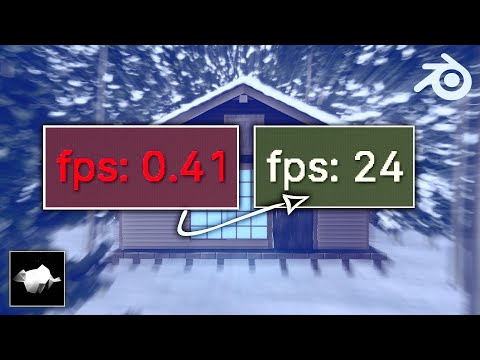
💬 In this video I'll show you some tecniques to Optimize Blender For Faster Animation Playback. so you can hopefully animate at your target framerate (24 fps normally) 🔴 DISCLAIMER: the results will largely depend on the capabilities on each PC but following these tips should definitely boost your playback by a bunch. Also the animation with the full sound and music is here: #iLightbox[gallery_image_2]/3 🎁 Support my channel by buying my products: GUMROAD: 🟢 get 10% discount with code "lollypopman" in all my products! 🟢 Or some of these products that i recommend from our trusted partners!: 🎁 Jim Rig: 🎁 Onion Skin Tools: 🎁 Animation Layers: 🎁 X-Pose Picker: 🟢 get 20% discount with code: "lollypopman" 🟢 🎁 CLOTHES IN MOTION : 🟢 get 25% Discount with code: "lollypopman" 🟢 🔔 Subscribe for more FREE ANIMATION resources, courses, news, reviews and funny moments: ⌚ Timestamps: 00:00 - Prologue 00:39 - The Stuff 04:57 - Epilogue 🎹 Music: Original tunes by Beorn Leonard Elevator Music by Corporate Music 👕 Get some cool tshirts, hoodies and mugs: STORE: 💻 Work Equipment: Laptop: Razer Blade 15" Base Model, Mid 2020: M.2 Nvme 2TB: Mirror: Graphics Tablet: XP-PEN G640: Keyboard: Mouse: Standing Desk: Chair: 🎮 Gaming Equipment Oculus Quest 128gb: DualShock RED: 🎬 Video & Audio Equipment: Iphone SE 2020: Ipad Pro 2020: Apple Pencil: Airpods Pro: Ring Light: RGB Light: Mic RØDE NT Mini: Lavalier: 🌐 Follow me on: TWITTER: INSTA: BLOG: WORK: #lollypopman #blender #b3d
- 65241Просмотров
- 5 лет назадОпубликовано#LollypopMan
Optimize Blender For Faster Animation Playback.
Похожее видео


Популярное
Новини