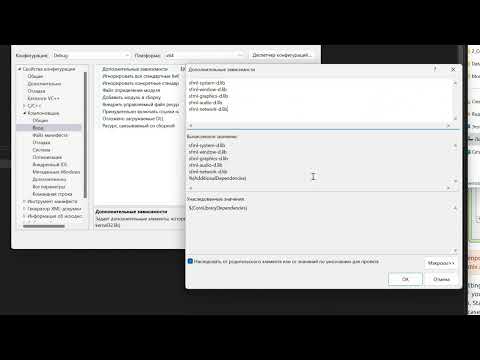
Want to start making videos games with C++, but don't know where to start? In this video, I go step-by-step from nothing to drawing something on the screen using SFML. Once you can start drawing things on screen, you're ready start programming your game. Github For This Project: Written Instructions: 1 - Download visual studio community : 2 - Download SFML for Visual C++ 17(2022) : 3 - Create new empty C++ console application project. 4 - Open project properties setting. 5 - In All Configurations, Under Properties-Configuration Properties-C/C++-General : Add Additional Include Directory YourPathHere\ \include 6 - In All Configurations, Under Properties-Configuration Properties-Linker-General : Add Additional Library Directory YourPathHere\ \lib 7 - In Debug Configuration, Properties-Configuration Properties-Linker-Input : Add Additional Dependencies 8 - In Release Configuration, Properties-Configuration Properties-Linker-Input : Add Additional Dependencies 9 - Paste in the following test code from SFML #include "SFML/ " int main() { sf::RenderWindow window(sf::VideoMode(200, 200), "SFML works!"); sf::CircleShape shape(100.f); (sf::Color::Green); while ( ()) { sf::Event event; while ( (event)) { if ( == sf::Event::Closed) (); } (); (shape); (); } return 0; }
- 9542Просмотров
- 1 год назадОпубликованоAndrew Codes Games
SFML Quick Setup - Everything You Need To Get Started Making a Game In C++ - Episode 1
Похожее видео





Популярное
Новини