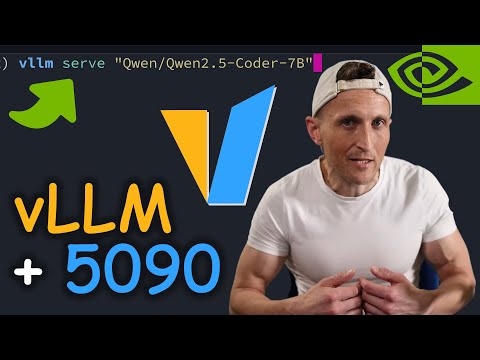
Setting up vLLM in our Proxmox 9 LXC host is actually a breeze in this video which follows on the prior 2 guides to give us a very full suite of Local Ai Server runners. We have covered in the first video setting up Proxmox 9, Ollama and OpenWEBUI in an LXC. In the second guide we setup and used unsloth. We also created a base level backup LXC container which we use to rapidly deploy vLLM in this video. IF YOU HAVE BLACKWELL 50x0 series Nvidia GPU's Use MIT Drivers and not Proprietary version during installation. The same package is downloaded, but MIT option selected during installation process. These guides are meant to be followed in this order: ▶️ Ollama Openwebui Video 📝 Ollama Openwebui Article ▶️ Llamacpp Unsloth Video 📝 Llamacpp Unsloth Article ▶️ 📍YOU ARE HERE📍 vLLM Video 📝 vLLM Article (Optional Guides) ▶️ VibeVoice 7b TTS Video 📝 VibeVoice Article Quad 3090 Ryzen AI Rig Build 2025 Video w/cheaper components vs EPYC Build Written Build Guide with all the Updated AI Rig Component Options and Benchmarks QUAD 3090 AI HOME SERVER BUILD GPU Rack Frame Supermicro H12ssl-i MOBO (better option vs mz32-ar0) Gigabyte MZ32-AR0 MOBO AMD 7V13 (newer, faster vs 7702) RTX 3090 24GB GPU (x4) 256GB (8x32GB) DDR4 2400 RAM PCIe4 Risers (x4) AMD SP3 Air Cooler (easier vs water cooler) iCUE H170i water cooler (sTRX4 fits SP3 and retention kit comes with the CAPELLIX) CORSAIR HX1500i PSU 4i SFF-8654 to 4i SFF-8654 (x4, not needed for H12SSL-i) ARCTIC MX4 Thermal Paste Thermal GPU Pads HDD Rack Screws for Fans Ways to Support: 🚀 Join as a member for members-only content and extra perks ☕ Buy Me a Coffee 🔳 Patreon 👍 Subscribe 🌐 Check out the Website ***** As an Amazon Associate I earn from qualifying purchases. When you click on links to various merchants on this site and make a purchase, this can result in this site earning a commission. Affiliate programs and affiliations include, but are not limited to, the eBay Partner Network. *****
- 8472Просмотров
- 3 месяца назадОпубликованоDigital Spaceport
Local Ai Server Setup Guides Proxmox 9 - vLLM in LXC w/ GPU Passthrough
Похожее видео








Популярное
Новини