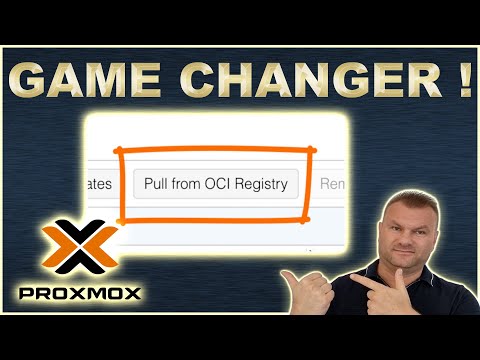
Proxmox VE 9.1 just made containers in the home lab a lot more interesting by adding native OCI image support alongside the classic Docker VM and LXC approaches, and in this video I walk through what changed in 9.1, how the new “Pull from OCI registry” feature works, why it matters that Proxmox can now run OCI images inside LXC under the hood, and how this compares to running full Docker or Podman in a dedicated virtual machine or using lightweight LXC containers for simple services. We will look at the pros and cons of each option and where the new OCI support hits the sweet spot for deployments without spinning up a full VM, so you can decide which container method is best for your home lab or production Proxmox environment in late 2025. Written guide to Proxmox Containers with the new 9.1 release: Black Friday deals (affiliate links): ASUS TUF Gaming GeForce RTX 5070 Ti 16GB GDDR7 OC Edition Gaming Graphics Card (PCIe 5.0, Samsung SSD 9100 PRO 4TB: Samsung 49" Odyssey OLED: KAMRUI AM21 Mini PC, AMD Ryzen 7 8745HS: ACEMAGIC M1 Mini PC, Intel Core i9-11900H 32GB DDR4 1TB SSD: GEEKOM A6 Mini PC with AMD Ryzen 7 6800H, 32GB DDR5 RAM: Beelink SER3 Mini PC AMD Ryzen 3200U: 0:00 Intro: Proxmox containers in 2025 1:03 What changed in Proxmox VE 9.1 2:22 How native OCI image support works 3:48 Running Docker and Podman in a VM 6:29 LXC containers explained in Proxmox 8:05 New OCI containers as the middle ground 10:36 Which container option should you use 11:50 Final thoughts and wrap up ★ Skool Community ★ Substack URL: ★ Subscribe to the channel: ★ My blog: ★ Twitter: ★ LinkedIn: ★ Github: ★ Facebook: ★ Discord: ★ Pinterest:
- 12440Просмотров
- 1 неделя назадОпубликованоVirtualizationHowto
Proxmox Containers Explained: Docker VMs vs LXC vs New OCI Support in 2025
Похожее видео










Популярное
Новини