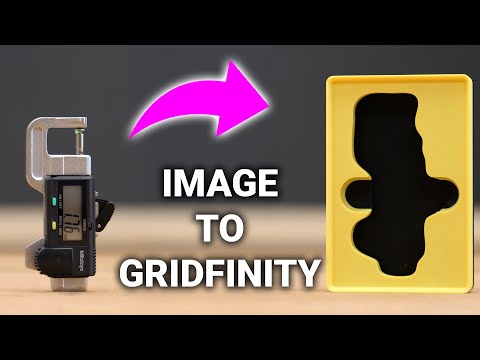
Tired of Gridfinity not having the bin you need? You’ve only had three bad choices until now: learn CAD, pay someone else, or toss stuff into a generic bin. But with ToolTraceAI, you can make perfect custom Gridfinity bins in under 5 minutes with nothing more than a sheet of paper, a photo, and your 3D printer. In this video, I’ll show you step-by-step how ToolTraceAI works, how to prepare your file, and how to tweak slicer settings for a fast, clean print. This tool has completely changed how I use Gridfinity, and I think it’s going to blow your mind too. 👉 Try ToolTraceAI: 👉 CNC Kitchen’s video: 👉 Join my Discord and share your Gridfinity creations: If you enjoy this video, hit 👍 and subscribe! We’re on our way to 5K subscribers, and your support helps a ton. ⏱️ Chapters 00:00 – The problem with Gridfinity bins 00:23 – Why the old solutions don’t work 00:25 – Introducing ToolTraceAI 00:44 – Getting started with ToolTraceAI 01:01 – Uploading your first photo 01:17 – My example: DJI Osmo Gimbal 01:38 – Adjusting the photo + paper setup 02:18 – Adding your tool outline 02:47 – Masking & refining the object 03:04 – Configuring layout for Gridfinity 03:26 – Adjusting settings (depth, units, etc.) 04:03 – Adding finger-grab indents 05:07 – Viewing + downloading the design 05:27 – STL + insert file exports explained 05:52 – Slicer setup & print settings 06:57 – Speed hacks from CNC Kitchen 07:35 – Final prints + tolerance test 08:19 – Adjusting tolerances for cleaner fits 09:07 – Free tool (for now) + my verdict 09:24 – What will YOU make with Gridfinity? 09:30 – Outro + subscriber push #3DPrinting #HueForge #STLFiles #FilamentArt #Multicolor3DPrinting #MakerWorld #3DPrintsByVic #HueForgePro
- 8977Просмотров
- 3 месяца назадОпубликовано3D Prints By Vic
Custom Gridfinity Bins in 5 Minutes (No CAD!)
Похожее видео


Популярное
Новини