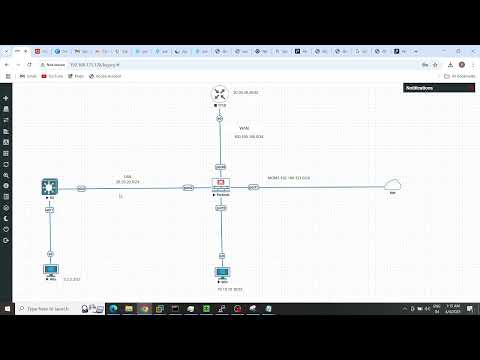
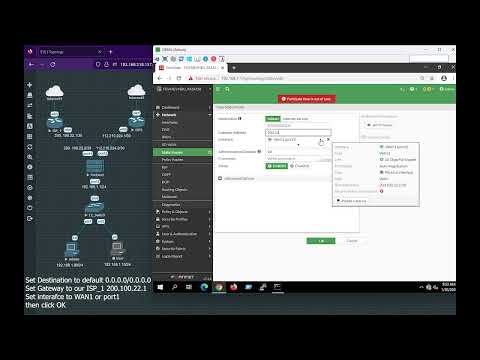
🚀 Learn How to Set Up Static Routing Between a FortiGate Firewall and a Cisco Router! 🚀 In this video, I will walk you through the complete process of configuring static routing between a FortiGate firewall and a Cisco router to enable communication between two separate LANs. This guide includes: ✅ Static Route Configuration on FortiGate & Cisco ✅ Creating Firewall Policies for Secure Traffic Flow ✅ Setting Up DHCP Servers on Both Devices ✅ Verifying Network Connectivity with Ping By the end of this tutorial, your Cisco router and FortiGate firewall will be seamlessly connected, and your devices will be able to communicate across different LANs! 🎯 🔹 Cisco Router Commands for Static Routing & DHCP Configuration: # Configure an interface with an IP address conf t interface GigabitEthernet "name of the interface" ip address "your ip+ Subnet mask" no shutdown exit # Configure another interface interface GigabitEthernet "interface name" ip address "ip address+ subnet mask" no shutdown exit # Configure a DHCP Server for the LAN ip dhcp pool "name" network (network+subnet mask) default-router "router Ip" dns-server exit # Configure a Static Route to FortiGate's Network ip route "destination network+subnet mask+ gateway ip" # Save the configuration wr 🔹 FortiGate Static Route Configuration: 1️⃣ Go to Network =Static Routes 2️⃣ Add a new route: Destination: destination network" Gateway: "gateway ip" Interface: WAN or the correct outgoing interface 3️⃣ Apply & Save 🎬 Watch the full video and follow along! If you need help with networking, firewall setup, or IT services, feel free to contact me. 📧 For business inquiries or services: 👉 ihsan4321isi@ 🔔 Like, Share & Subscribe for more networking tutorials! 🔔 #Cisco #FortiGate #StaticRouting #NetworkSetup #Firewall #ITSupport #Networking #CyberSecurity #CCNA
- 343Просмотров
- 9 месяцев назадОпубликованоIhsan Solutions
🔥 How to Configure Static Routing Between FortiGate Firewall & Cisco Router | Step-by-Step Guide
Похожее видео




Популярное
Новини