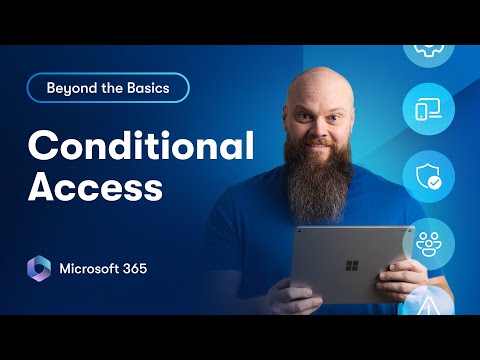
Conditional Access is one of the most important tools for securing Microsoft 365, but it’s also one of the most misunderstood. In this video, I’ll walk you step-by-step through how Conditional Access really works, how to design policies properly, and how to avoid locking everyone out in the process. You’ll learn: 🔐 The key building blocks of Conditional Access ⚙️ How to create your baseline policies (MFA, legacy auth, device compliance) 👥 How to build personas for Admins, Staff, and Guests 🧩 How overlapping policies interact and how to test safely 💡 Real-world examples and best practices for Microsoft 365 and Entra ID Whether you’re an MSP, IT admin, or small business owner, this video will help you secure Microsoft 365 the right way with clarity, confidence, and a touch of humour. 👉 Watch next: Advanced Conditional Access in Microsoft 365 – Real-World Scenarios (coming soon) Thanks to today's video sponsor who was CoreView - #Microsoft365 #ConditionalAccess #EntraID 🔒 Protect Your Microsoft 365 Data – Free 30-Day Trial Did you know Microsoft doesn’t actually back up your data? Accidental deletions, ransomware, or disgruntled employees can all put your emails, OneDrive files, SharePoint sites, and Teams messages at risk. With the Bearded 365 Backup Service, powered by Redstor, you can back up and restore everything in minutes — and try it free for 30 days. 👉 Start your free trial here: 🧑🏫 My Online Courses ► Weekly Cyber Awareness Training - ► Discover Microsoft 365 and Get More Done - 🆓 FREE Facebook Group From security to productivity apps to getting the best value from your Microsoft 365 investment, join our Microsoft 365 Mastery Group 🆓 FREE Microsoft 365 Guide Our FREE Guide - How to Build a 5 Star Business Using Microsoft 365 ► Download our guide here today: 💻 Want to Work Together? Drop me an email: jonathan@ 😁 Follow on Socials TikTok @bearded365guy Instagram @bearded365guy 📽️ Video Chapters 00:00 Funny Intro with Jason 01:07 What Is Conditional Access in Microsoft 365? 02:38 Understanding Policies, Assignments & Conditions 05:35 Sponsor Callout for CoreView 07:13 Naming Strategies & Best Practices 08:24 Setting Up Your Baseline Policies 09:45 Strong MFA for All Users 12:21 Block Legacy Authentication 13:35 Require MFA for Device Registration 14:54 Block Device Code Flow 16:27 Block High-Risk Sign Ins 19:35 Creating Personas (Admins, Staff, Guests) 21:19 Conditional Access for Admins 25:37 Conditional Access for Staff 27:42 Conditional Access for Guests 29:57 Conditional Access Exclusions 32:14 Temporary Access Pass 33:43 Bonus Tip: Access Reviews 35:47 Wrap Up
- 47845Просмотров
- 1 месяц назадОпубликованоJonathan Edwards
How to Set Up Conditional Access in Microsoft 365 (Step-by-Step)
Похожее видео






Популярное
Новини