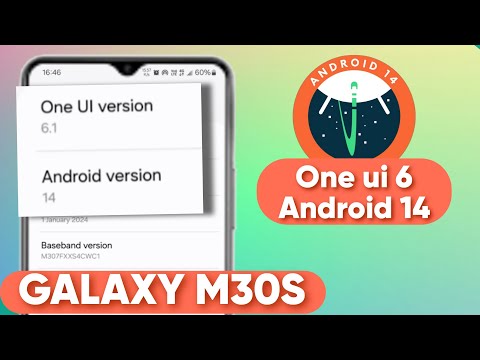
A Stable One UI 6.1 Android 14 Custom Roms For M30s | M307f #M307f #Samsung #customrom #twrp #oneui6 Shot on iPhone 13 Chapters: 00:00 - Intro 01:08 - Flashing the Rom 02:42 - Booting the Rom 05:01 - First Look of the Rom 07:31 - Outro Disclaimer ⚠️⚠️⚠️ I'm Not Responsible For Your Bricked Devices or Dead Mobiles Do at Your own Risk Join the Official Samsung Galaxy M30s Group in Telegram : +fbH73DSq0PMyYTJl Join the M30s Off Topics And Help : I used Galaxy A35 Port in Video Galaxy A35 Port: ROM File: Link 1: Link 2: Features: 1. Good lock support 2. Circle to search (Install Google app) 3. Fully Debloated 4. Voice focus 5. Secure folder 6. Galaxy AI 7. Default App Lock 8. Extra Brightness 9. Smoothest Experience Bugs🐞: 1. Camera lags while switching between lenses (use Gcam Go) 2. Bluetooth Audio 3. Smart View 4. Developer Options and General Management setting some time not responding 5. Rarely lags a bit Details of the ROM: 1. It is One UI 6.1 based on Android 14 2. 1 November 2024 security patch 3. Ported From Galaxy A35 5G 4. Kernel SU Root included (just install the apk file of Kernel SU as usual) Galaxy S23 FE Port (only recommended for bluetooth users): ROM File: Link 1: Link 2: Features: 1. Good lock support 2. Circle to search (Install Google app) 3. Fully Debloated 4. Voice focus 5. Galaxy AI 6. Default App Lock 7. Daily data usage on quick panel 8. Earpiece and speaker work in Stereo Bugs🐞: 1. Camera lags while switching between lenses (use Gcam Go) 2. Smart View 3. Lags Details of the ROM: 1. It is One UI 6.1 based on Android 14 2. 1 December 2024 security patch 3. Ported From Galaxy S23 FE 5G 4. Kernel SU Root included (just install the apk file of Kernel SU as usual) Credits: @Dhiren9611 ported these ROM for M30s How To Change Custom Rom On Samsung Galaxy M30s (M307f/M307fs): 1. Power off your phone and boot into recovery by pressing power + vol up button (connecting to pc is necessary) 2. Go to wipe and check necessary partitions such as dalvik/cache, cache, system, vendor, product, data, and swipe 3. If you don't have an sd card, copy the ROM file to your phone from PC and find the ROM, then flash it 4. Wipe dalvik / ART cache and click reboot system 5. First Boot Takes sometime 6. Then, set up the phone as normal
- 2888Просмотров
- 11 месяцев назадОпубликованоAsphalt Pro
A Stable One UI 6.1 Android 14 Custom Roms For M30s | M307f
Похожее видео



Популярное
Новини