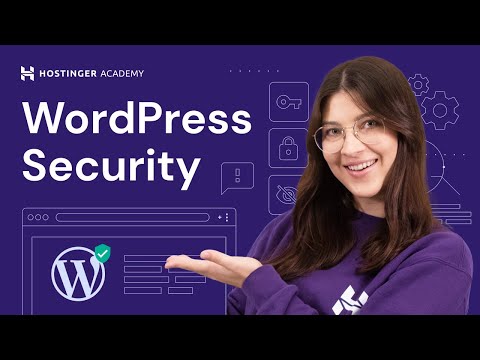
Making your WordPress website secure should be your number one priority. Get secure WordPress Hosting at Hostinger now 👉 👈 Use WP10 to get an additional 10% OFF! By default, WordPress offers plenty of security measures. However, it is up to each user to implement them on their websites, which can be a hassle for many. Additionally, a web creator should know how to react in case their website security has been compromised. If you want to know more about WordPress security, watch our webinar with Filip, a member of Hostinger’s Customer Success team. He shared his knowledge about: 🔒Identifying potential WordPress security issues 🔒Preventing WordPress security breaches 🔒How to fix your WordPress website if it was hacked 🔒How Hostinger can help you deal with security breaches ____________________________________________ ⭐Follow Us ⭐ TikTok: @hostingeracademy Twitter: Facebook: WordPress Explained Group: Hostinger Tutorials: Subscribe to our channel: ____________________________________________ 🕒 Timestamps ____________________________________________ 0:27 - Introduction 1:07 - Start of the presentation 1:13 - Agenda 2:06 - Some Stats 3:21 - How to Identify Possible WordPress Security Issue 13:54 - How to Prevent WordPress Hack 30:53 - Example of Bad Plugin 31:28 - Example of Good Plugin 32:50 - Change WordPress Admin URL 33:24 - How to Fix WordPress Website if it was Hacked 43:40 - What Hosting Company Should Offer to You in Case of Hack 48:30 - What Plugins for Security I can Recommend 50:00 - Q & A 50:30 - Is it safe to provide your WordPress login information to freelancers? 53:16 - Is it a good idea to use a security plugin? 54:42 - Having passwords be publically available 55:18 - Using free GPL/cracked plugins 58:35 - Why do some IP addresses get graylisted? 1:00:16 - Hacks that increase the website file size 1:01:47 - Are GPL plugins/themes safe? 1:02:46 - Should you update your plugins? 1:04:29 - Closing Words ____________________________________________ ▶ Want to watch more awesome webinars like this one in the future? Consider subscribing 😁 ▶ If you have any questions, don’t hesitate and join our Facebook group for more help here: ____________________________________________ Thank you for watching! If you’ll have any questions let us know in the comments below. Good luck on your online journey. 🚀 #WordPressSecurity #WordPressforBeginners #HostingerAcademy
- 1698Просмотров
- 4 года назадОпубликованоHostinger Academy
WordPress for Beginners: A Guide to WordPress Security
Похожее видео









Популярное
Новини