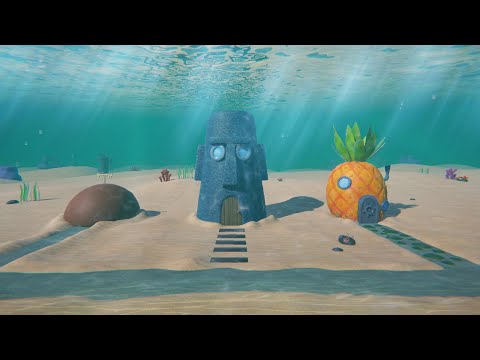
Explore how to build a complete underwater level in Unity, including a custom swimming controller, realistic underwater effects, animated sea plants, and terrain setup. In this full 20-minute deep dive, I walk through every step of creating an immersive underwater experience: from player movement to environmental FX and share two free UPM packages you can install to follow along easily. 🌊 What You’ll Learn ✅ How to create a swimming controller with smooth vertical movement ✅ Setting up underwater fog, bubbles, and lighting effects ✅ Building the sea floor terrain with realistic textures ✅ Adding animated vegetation using my Unity tool ✅ Tips for water surface visuals and post-processing ✅ Installing and using custom UPM packages 🧰 Tools Used Unity (URP) Codex CLI – code generation for controller logic Rodin / Hyper3D – asset & plant generation 3DAI Studio – optional for props or creatures Custom UPM packages (linked below) 📦 Free Packages 🌀 Swimming Controller – adds full 3D swim movement 🌿 Animated Vegetation Importer – convert static plants into animated terrain details GitHub: ⏱️ Timestamps 0:00 Intro 0:27 Swim controller 4:11 Underwater visual effect 4:30 terrain and textures 7:11 Underwater sea plants 14:25 Terrain detail importer 15:46 Water surface 17:38 Terrain detail painting 18:48 Adding underwater bubbles & FX 21:15 Outro If you enjoy this, check out my previous Unity tools: 🔥 Lava Cave Level Tutorial: 📦 AI Game Dev series: I’m working on a combat-ready character controller next — subscribe if you want to see that in action! ⚔️
- 643Просмотров
- 1 месяц назадОпубликованоBuilding Aeon
Build an Underwater Level in Unity: Swimming Controller, FX, Vegetation & Terrain (Free Tools)
Похожее видео







Популярное
Новини