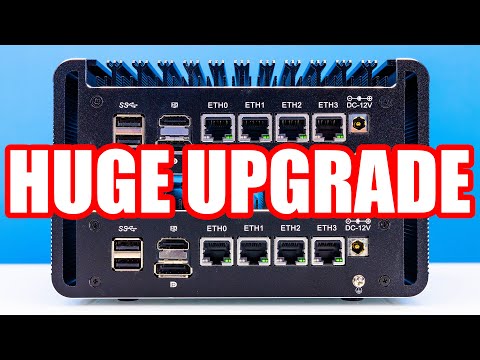
🔧 Turn Your Topton N100 Mini PC Into a Powerful OPNsense Firewall! 🔧 In this video, I’ll walk you through how to install OPNsense on the Topton N100 mini PC—a compact, fanless, and budget-friendly device that’s perfect for your homelab or home network upgrade. We’ll cover everything from downloading the ISO, flashing your USB, BIOS tweaks, all the way to first boot and post-install setup. If you’re building a secure, open-source firewall on a budget, this guide is for you. ⸻ 📋 Timestamps 0:00 – Intro 1:16 – What You Need 2:31 – Download & Flash OPNsense 4:19 – BIOS Setup 5:23 – Installing OPNsense 7:29 – Assigning Network Interfaces 9:07 - Connecting it up 11:38 – First Login & Post-Install 18:25 – Outro ⸻ 🛠️ Gear Used in This Video: • 🔹 Topton N100 Mini PC (Intel i226-V NICs) • 🔹 8GB+ USB Drive • 🔹 Keyboard + Monitor • 🔹 Second PC for ISO download ⸻ 📥 Useful Links: 🔸 OPNsense Download: 🔸 Rufus (USB flasher for Windows): 🔸 balenaEtcher (Mac/Linux/Windows): ⸻ 💬 Got questions? Drop them in the comments—I reply to every homelabber. 👍 Like this video if it helped you 🔔 Subscribe for more DIY networking and homelab content 📢 Share this with anyone building their first firewall! ⸻ #OPNsense #ToptonN100 #Homelab #Firewall #Networking #OpenSource #SelfHosted #MiniPC #DIYTech #HomeNetworking
- 6679Просмотров
- 5 месяцев назадОпубликованоAlston Barretto
Install OPNsense on a Budget Mini PC (Topton N100 Setup)
Похожее видео




Популярное
Новини