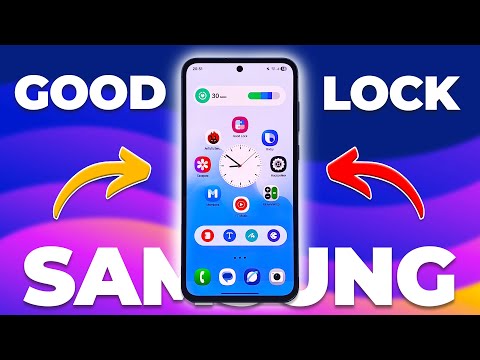
Transform your Samsung Galaxy into a personalized masterpiece with these 7 Good Lock customization features! 🚀 In this video, I’ll show you how to go from basic to breathtaking — giving your phone a dynamic, animated, and completely unique look that reflects your style. ✨ What You’ll Learn: 1️⃣ How to turn static wallpapers into dynamic moving wallpapers 2️⃣ How to add a 3D parallax effect to your home screen 3️⃣ How to change and customize icon styles to match your theme 4️⃣ How to create an animated notification screen for eye-catching alerts 5️⃣ How to personalize your lockscreen clock face 6️⃣ How to enable fingerprint unlock animations 7️⃣ How to customize your Samsung keyboard with Keys Café 💡 Why You’ll Love This Video: All features are 100% safe and official, using Samsung’s Good Lock app No root or third-party launchers needed Perfect for Galaxy S24, S23, A-series, and Fold/Flip models Step-by-step tutorial for beginners and customization pros alike 📱 Good Lock Modules Mentioned: Wonderland Theme Park LockStar ClockFace Keys Café EdgeLighting+ 🎨 Make your phone truly yours — bold, beautiful, and dynamic! 👇 Timestamps: 0:00 – Intro: Transform Your Samsung Galaxy Discover how to make your Samsung Galaxy stand out using Good Lock! Learn how to personalize wallpapers, icons, animations, and more for a fully custom phone experience. 0:35 – Feature #1: Dynamic Wallpaper with Wonderland Turn static wallpapers into animated dynamic wallpapers using the Wonderland module. Add motion effects like falling leaves or interactive particles to bring your home screen to life. 2:25 – Feature #2: Parallax Effect Wallpaper Create a stunning 3D illusion on your Galaxy home screen using the parallax effect in Wonderland. Add depth and motion to your wallpapers for a premium look. 5:56 – Feature #3: Change Icon Style with Theme Park Redesign your icons using the Theme Park module or custom icon packs. Change shapes, colors, and outlines to match your wallpaper and theme for a cohesive setup. 8:55 – Feature #4: Animated Notification Screen with Edge Lighting+ Make your notifications pop with glowing animations, waves, and light effects. Learn how to use Edge Lighting+ to add stylish motion to your alert screen. 10:48 – Feature #5: Personalize Your Lockscreen Clock Face Use the ClockFace module to create and apply custom lockscreen clocks. Choose from dozens of presets or design your own clock face with unique fonts, colors, and layouts. 13:09 – Feature #6: Fingerprint Animation Effects Add futuristic fingerprint animations using LockStar. Enjoy glowing rings, ripples, and light bursts every time you unlock your phone for a premium feel. 14:26 – Feature #7: Keyboard Customization with Keys Café Transform your typing experience using Keys Café. Customize keyboard colors, shapes, sounds, and animations to match your overall theme and personality. 16:27 – Final Thoughts & Outro Seven Good Lock features that make your Samsung Galaxy feel truly yours. Like, comment, and subscribe for more Samsung customization tips and tutorials! samsung good lock, samsung customization, good lock features, samsung good lock 2025, samsung galaxy customization, good lock tips, samsung personalization, samsung wallpaper tricks, galaxy s24 tips, good lock modules, samsung lockscreen customization, samsung dynamic wallpaper, samsung parallax effect, samsung keyboard customization SUBSCRIBE NOW - SUPPORT ME BY BUYING ME A COFFEE!! : If you like this video please give it thumbs up and don’t forget to subscribe to my Youtube Channel. 🤗🤗 Make sure to follow me on my Social Media accounts ! Instagram : Tiktok : @thesimpledadd?lang=en TubeBuddy - Get more views and more subscribers! - Hope you found this tutorial helpful! Share and Subscribe guys! Would really appreciate it! Leave me a comment on if this worked for you? Comment down below what other tutorials you would like to see. Music: -------------------------------------------------------------------------- Gears I use in my youtube videos. - Camera I use to record - - Lens I use to record - - Memory card I use - - Tripod I use - - Macbook Pro I edit with - - Mic I use to record with - --------------------------------------------------------------------------- Subscriber Achievement 100 subscribers - 30/7/2020 1k subscribers - 8/5/2021 5k subscribers - 21/9/2022 10k subscribers - 19/4/2023 # # # #
- 91918Просмотров
- 1 месяц назадОпубликованоThe Simple Dad
7 INSANE Good Lock Tricks to Transform Your Samsung Galaxy! 🔥 Next Level Customization Tips To Try!
Похожее видео


Популярное
Новини