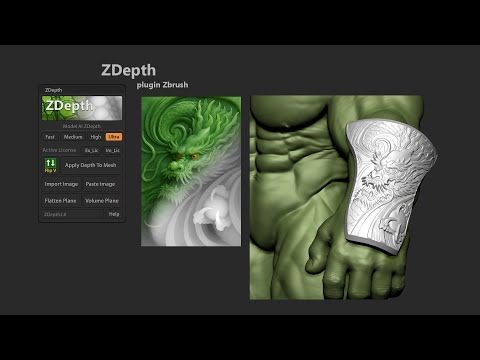
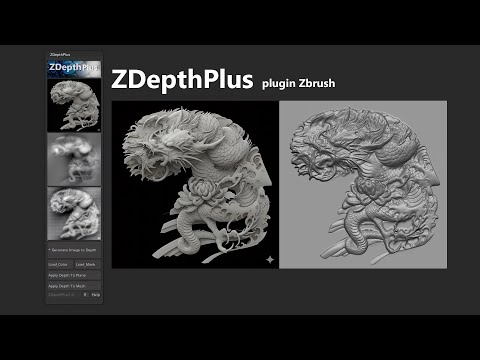
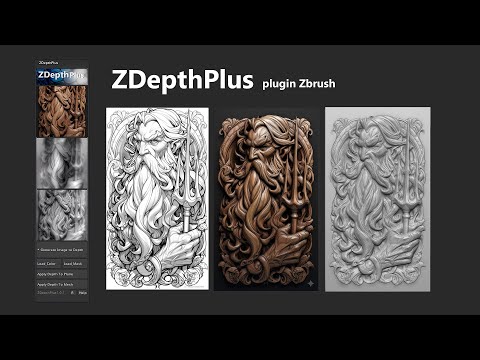
🎨 ZDepth Plus – Update New Features Download Plugin: Upscaler Tool: 🧠 Main Features 🖼 Generate_Image_to_Depth Run the AI pipeline to create maps in /temp: depth, depth_blur, depth_shape, dispZ, line_art, bump, mask 🎨 Load_Color Load a color image for quick visual reference or checking. ⚫ Load_Mask Load a black–white mask to keep the subject area and clean/flatten the background. 🧩 Depth Application 🪶 Apply_Depth_To_Plane Create a plane that matches the image size (with thickness). Apply + blend DisplacementZ. Auto-split layers: depth / depth_blur / depth_shape / dispZ / line_art / bump / mask Mask usage: optional (use or skip). 🧱 Apply_Depth_To_Mesh Apply displacement directly to a mesh with UVs. Preserve existing subdivs/layers. Auto-split layers: depth / depth_blur / depth_shape / dispZ / line_art / bump / mask Mask usage: optional (use or skip). ⚙️ Photoshop Integration R – Set Photoshop Path Pick and store the path to . Used by “Open Mask (PSD)” and “Open All Maps (PSD)” JSX runners. Press again to change the path. 🎭 Mask Modes (Use Mask? Dialog) ✅ Use_Mask Keep the subject area. Clean/flatten the background when applying & blending displacement. 🚫 Skip_Mask Apply displacement to the entire image. 🖋 Edit_Mask_PSD Open Photoshop to review and edit the mask before blending displacement. 🗂 Load_All_Maps_PSD Open Photoshop to inspect all generated maps at once: depth, depth_blur, depth_shape, dispZ, line_art, bump, mask #ZDepth #ZBrush #ZBrushPlugin #3DModeling #DigitalSculpting #ImageToDepth #DepthMap #AI3D #ZBrushTools #3DTools #CGArtist #3DArt #CharacterArt #ZMPolygon
- 2416Просмотров
- 1 месяц назадОпубликованоZM Polygon
ZDepth Plus plugin for ZBrush Tutorial
Похожее видео

Популярное
Новини