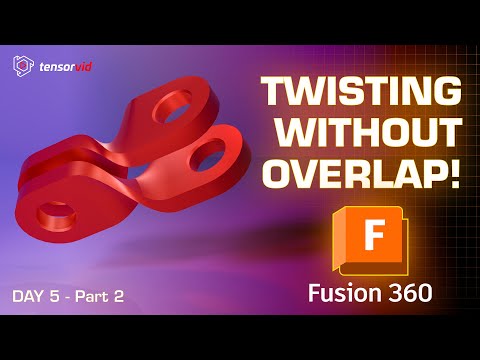
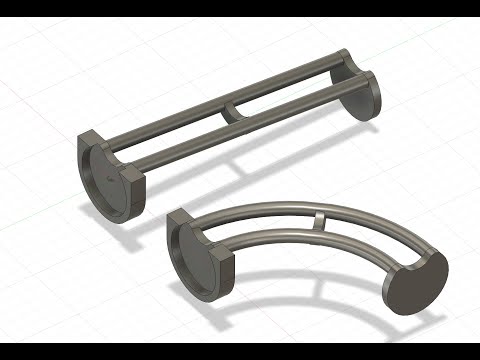
Welcome to Tensorvid — your hub for learning and inspiration. Learn real life skills in broad topic such as design, ai, modelling, and coding. Welcome back to the Day 5 How to create any shape in Autodesk Fusion 360 Tutorial series for beginners in English/Spanish! This time we will be creating a custom linkage component in fusion 360. This tutorial is best for beginners who wants to learn modelling and simulation in Fusion 360. Topics covered in this video are as follows, you can use the timestamps to skip ahead. 0:00 Intro 0:20 Creating the base sketch and shape 2:00 Moving and creating copies in fusion 360 3:16 Creating custom axis in fusion 360 and rotating along that 5:30 Aligning bodies in fusion 360 6:05 Outro Part 2 - This is the next video of the How to create any shape in Autodesk Fusion 360 series for beginners., engineering students, hobbyists, and anyone learning CAD design for manufacturing or 3D printing. Software: Autodesk Fusion 360 Key Topics Covered: Part Design, Joint, Motion Link in Fusion 360, US/American standard units are used. Don’t forget to check out the full playlist for more Fusion 360 tutorials! #Fusion360Tutorial #Fusion3603DPrinting #Fusion360MechanicalDesign #Fusion360Hinge #CADforBeginners
- 1203Просмотров
- 4 недели назадОпубликованоTensorvid
How to create linkage component in Fusion 360 Tutorial for Beginners Day 5 - Part 1-English/Spanish
Похожее видео



Популярное
Новини