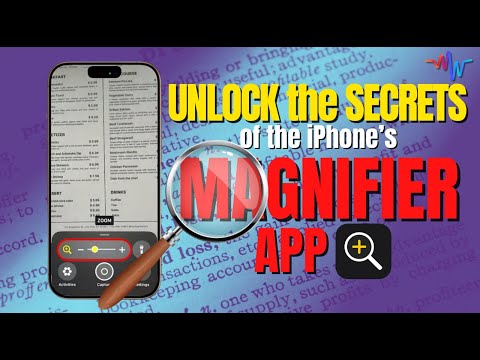
Stop Swiping Randomly ➡ Ever wondered what that mysterious new button on the side of your iPhone actually does? 🤔 If you’ve got an iPhone 15 Pro or newer, you’ve probably noticed the Action Button replacing the old Ring/Silent toggle — but here’s the thing: most people either ignore it or leave it stuck on Silent Mode without ever exploring its real power. In this video, I’ll walk you through everything the Action Button can do — from silencing your phone smarter, to launching your favorite tools instantly, to unlocking hidden shortcuts that turn it into a true productivity powerhouse. Whether you want to quickly open your camera, translate languages on the fly, or magnify tiny text at a restaurant, I’ll show you how to make the Action Button work for you. Stick around for my MacWhisperer Power Tips — including how to unlock the Action Button’s full potential so you’re never stuck choosing just one function. 📲✨ ****************************************** Resources: 👇 GET YOUR FREE SMARTGUIDE HERE 👇 My Super Action Button Downlaod: ****************************************** 📖 What You’ll Learn in This Video: • Why Apple replaced the Ring/Silent switch with the Action Button • How to silence your iPhone without using the Action Button • All the built-in tools you can assign to the Action Button • The most powerful Action Button settings (and which ones to avoid) • How to trigger accessibility tools and apps instantly • How to use Siri Shortcuts to empower the Action Button to do anything • The ultimate shortcut that unlocks multiple functions from a single press ****************************************** ⏱️ Chapters & Timestamps: [00:00] : 🔍 Introduction to the Action Button [01:05] : 📜 The Evolution of the iPhone’s Side Button [03:57] : 🔇 Alternative Ways to Silence Your iPhone [05:57] : 🎯 Using Focus Mode instead of Silent Mode [06:38] : ⚡ Exploring the Action Button [10:35] : 🔦 Flashlight & Quick Access Tools [11:15] : 🎤 Voice Memos on the Action Button [12:10] : 🎵 Recognizing Music with Shazam [13:00] : 🌍 Translation Tool [14:00] : 🔍 Magnifier Tool for Tiny Text [15:50] : 💡 Power Tip #1: Control Apps & Settings [17:24] : 🛠️ Power Tip #2: Triggering Accessibility Tools [19:00] : 🚀 Power Tip #3: Running Shortcuts [21:25] : 🏆 Maximizing the Action Button’s Potential ****************************************** 📌 Want to Work With Me? I teach people just like you how to make their Apple tech work for them. 📲 Become a YouTube Member with recurring monthly support starting as low as $ for exclusive classes, access to our SmartGuide Library & other perks: 💻 Join the MacWhisperer Academy and Elevate your tech skills with live classes twice a month, engage with a community of passionate Apple aficionados, and tackle your toughest tech challenges with our monthly Q&A sessions. Start your Free 30-day trial now: ****************************************** Connect with the MacWhisperer 👨💼Linked In: 📸Instagram: 🗣️Facebook:
- 79212Просмотров
- 4 месяца назадОпубликованоThe MacWhisperer
Action Button Secrets Every iPhone User Should Know
Похожее видео





Популярное
Новини