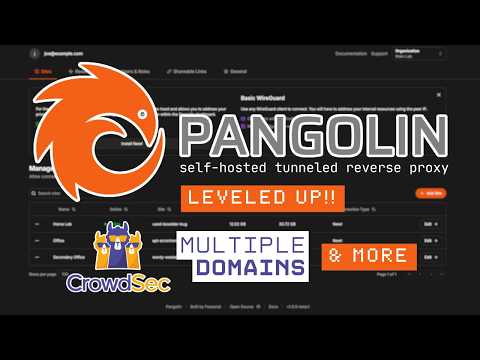
....... ❗️ Why I’m Done With Cloudflare Tunnels – Meet Pangolin: The Self-Hosted Zero Trust Access Solution After a Cloudflare Access & Tunnel outage that took down my services, I knew it was time to take back control. That’s when I found Pangolin — a self-hosted tunneled reverse proxy with built-in identity and access control. In this video, I cover everything you need to know about Pangolin — setup, features, use cases, and why it’s a game-changing alternative to Cloudflare Tunnels and Access. ✅ Reverse proxy via encrypted WireGuard tunnels ✅ Full identity & access control system (SSO, TOTP, OAuth2, OIDC & more) ✅ No open ports, no vendor lock-in ✅ Supports HTTP/HTTPS, raw TCP/UDP, automatic SSL ✅ Docker-based deployment for fast setup ✅ Built-in organization, role & user management ✅ Share links, pin codes, email passcodes, and RBAC ✅ Built-in API + integration-ready #PangolinProxy #SelfHosted #ZeroTrust #CloudflareAlternative #HomeLab #WireGuardTunnels #SelfHostedGateway #OpenSourceSecurity #Cybersecurity #SSO #IDP #ReverseProxy #Webnestify #DevOpsTools #AccessControl #TunnelReplacement #IoTNetworking 🔒 Try Pangolin: 💬 Join the Webnestify Community on Discord: 👉👉 🌐 More great tools & resources: 👉👉 🔥 Bonus: Check out NextDNS (video + discount): 👉👉 ** *WEBNESTIFY RECOMMENDATIONS* ** 🔥Hetzner - Get 20€ in cloud credits to get started with GDPR compliance! ** *SOCIALS* ** 👉👉 LinkedIn - 👉👉 Facebook - 👉👉 TrustPilot - ** *ABOUT WEBNESTIFY* ** Established in the heart of Slovakia in 2021. Webnestify is more than just a cloud solutions provider – it's your strategic partner in digital transformation. We believe that businesses, irrespective of size, deserve the best when it comes to technology. *And, we're here to ensure that your company doesn't just keep up with the digital age but thrives in it.* 🤝🤝🤝Join Webnestify, and let's redefine success together. Apply today for exclusive access at 👉👉👉 .🤝🤝🤝 ** *TIMESTAMPS/CHAPTERS* ** 0:00 - Intro 1:07 - About Pangolin & Pricing 5:27 - Preparing Servers 13:39 - Preparing DNS 14:45 - Installation 17:46 - Pangolin Dashboard & Sites 22:34 - Creating Systemd Service 25:29 - Adding First Application to Protect 27:55 - Access Controls & Other Settings 32:21 - Wrapping Up
- 1545Просмотров
- 5 месяцев назадОпубликованоWebnestify
Self-Hosting Zero Trust Access With Pangolin – Better Than Cloudflare?
Похожее видео










Популярное
Новини