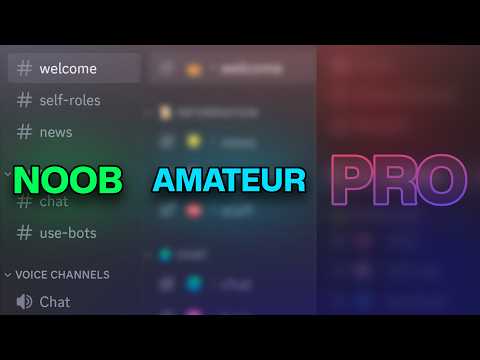
I previously made a Discord server tutorial that just handed you a server template and let you figure out Discord role, channel, and category permissions on your own. However, those Discord permissions are actually really hard to understand as a beginner. In this video I aim to educate you on how to set up a Discord server. Hopefully the foundations presented in this video will help you grow your small server into a massive server that can hopefully get the golden prize of becoming Discord partner. Subscribe so I know that this massive 1hr video wasn't a waste. Jk I know it'll be useful to at least 1 person and that makes me happy :) TIMESTAMPS + RESOURCES (website links and helpful text) ----------------------------------------------------------------------------- 00:00:00 - Who this tutorial is for 00:00:32 - Creating the server 00:01:03 - Creating channels & categories 00:05:39 - Fancy channel names The channel text used: 💬︱general 00:07:15 - Channel Topic & Slowmode 00:08:05 - Setting up Discord's Community Function 00:10:22 - Welcome screen 00:12:23 - Community features + announcements 00:13:41 - Server Overview Tab 00:15:03 - What are server boost perks 00:15:59 - Emojis & Stickers 00:16:23 - Misc. nerdy stuff Server Template this server: 00:17:07 - Rules screening 00:17:39 - Safety Setup 00:18:53 - Rules Screening (cont.) 00:20:03 - Fancy Rules Discohook website: 00:23:47 - Editing a webhook message 00:24:38 - Explaining Permissions, Skip if you know already. 00:30:36 - Making Roles 00:31:45 - How role permissions work 00:33:36 - Finalizing Admin Role 00:34:27 - Role Hierarchy Explanation 00:35:32 - Moderator permissions 00:39:24 - Channel permissions 00:42:06 - Explaining Channel Category Permissions 00:44:58 - Channel permission overrides 00:46:31 - Voice Channel Settings 00:47:41 - DOUBLE CHECK PERMISSIONS PLEASE 00:48:30 - Discord's Automoderator 00:51:04 - Explaining Automod's word filter 00:53:47 - Carl Bot configuration Carl Bot Website: 00:55:44 - Carl Bot Reaction Roles 00:56:57 - Change Role Hierarcy 00:57:28 - Carl Bot Setup (cont.) 00:58:36 - Configuring Carl Bot 01:02:30 - Testing the Server 01:03:17 - Inviting People 01:03:50 - Outro OTHER LINKS ----------------------------------------------------------------------------- Discord Server MUSIC (In order) ----------------------------------------------------------------------------- Shrimpnose - Halflife Philanthrope, mommy - Growing Through The Cracks Moods, Yasper - Blessed Shrimpnose, nobuddy - Hyperspace Shrimpnose - In Minutes Yasper, chromonicci - Low Tide Shrimpnose - Memories of When.... Enzalla - Morning View Aviino - Perfect Storm King I Divine - Reflections Aviino - Sketchbook Memory Aviino, Oliv - Sorry Matthew Aves - Stay Positive Sleepy Fish, coa - The Field from Spirited Away Shrimpnose - The Flash before my Eyes Aviino - Two Thousand Miles Shrimpnose, nobuddy - Hyperspace Shrimpnose - In Minutes Yasper, chromonicci - Low Tide Aviino - Perfect Storm Aviino - Sketchbook Memory Philanthrope, mommy - Growing Through The Cracks
- 556812Просмотров
- 3 года назадОпубликованоNo Text To Speech
Beginner-Friendly Discord Server Tutorial!
Похожее видео






Популярное
Новини