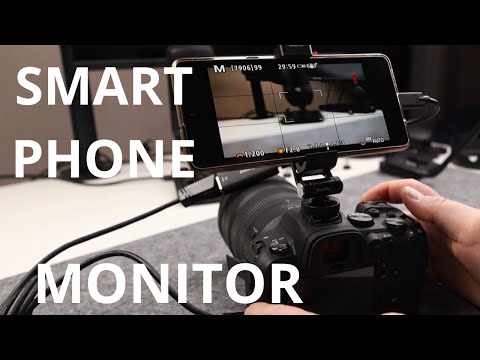
In this video I talk about how you can setup and use your phone as a Viewfinder/Camera Monitor as a cheap alternative for expensive External Camera Monitors. Showing you exactly what you need to get setup and started with a few relatively cheap items to save you lots of money! This method involves a a few key items listed below, and a USB camera app. Items Used in the video: Camera - Canon r7: Lense - Canon RF 24-105mm F4-7.1 - Phone holder - Hotshoe mount: Video Capture Card (HDMI to USB C adapter) - Micro HDMI to HDMI cable - –––––––––––––––––––––––––––––– Time Stamps: 00:00 - Introduction - How to record the EVF of your Mirrorless camera? 00:25 - What you will need to make this work. 03:35 - How it works when using the phone mount, to record video on the mobile device. 04:10 - Links in the description to what you need. 04:46 - How its looks when its setup - opening the USB Camera/USB Camera Pro App. 05:40 - How the recording looks of the EVF from the phone recording app. 07:25 - Useful use cases for using the Phone as a Viewfinder/Monitor. 10:00 - Outro –––––––––––––––––––––––––––––– Links: Amazon Affiliate link: Website: Linktree: Instagram: /craw_photography Facebook: /craw7photography X/Twitter: /crawphotography ––––––––––––––––––––––––––––––
- 2107Просмотров
- 1 год назадОпубликованоCraw Photography
How to use your phone as an external Viewfinder/Camera Monitor!
Похожее видео


Популярное
Новини