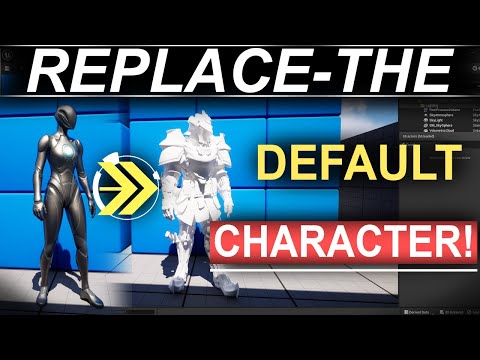
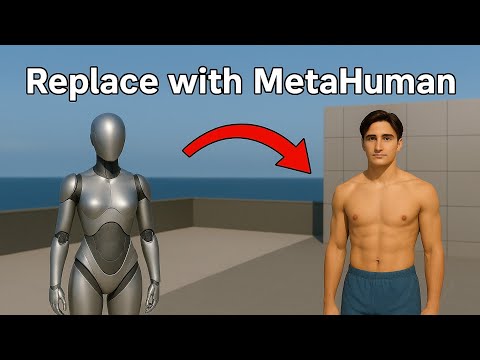
Want to swap Unreal Engine's default mannequin with a stunning Paragon character (or any other source) but not sure where to start? In this video, I’ll show you how to fully replace the mannequin with a Paragon hero in Unreal Engine 5.6, using proper retargeting, IK rigs, and animation setup step by step. No experience required. Whether you’re just starting your journey into game development or making a career change, this tutorial is made for beginners who want to learn Unreal Engine, character animation, and how to bring game-ready models to life. You’ll learn: ✅ How to switch the Skeletal Mesh from the third-person template ✅ How to locate the Skeleton of a Skeletal Mesh ✅ How to import and configure a Paragon character from another Unreal Version ✅ How to create and assign IK Rigs ✅ How to Auto Create Retarget Chains and Inverse Kinematic ✅ How to set up animation retargeting properly using Retargeter ✅ How to avoid foot glitches and frozen poses ✅ How to remove a weapon from the animation ⬇️⬇️Stop the frustration of not knowing how to take off your game dev career!⬇️⬇️ Visit and: 🎮 Get my FREE TRAINING -How to Become a Game Changer Video Game Creator- to transform your Game Dev Journey 🎓 Learn about the Game Creator Accelerator -our LIFETIME Game Dev Mentorship 🗣️ Register for a One-On-One Zoom Call to know the details of the Program Follow me on X: Say Hi on Instagram: Get inspired on Pinterest: Connect with me on LinkedIn: Subscribe to the Channel: @TonyMunozDev Watch this strategic video about the Infinite Game of Game Developers. "Want to work in game development? Stop Job Applications #UnrealEngine5 #GameDev #ParagonUnreal #IndieDev #AnimationRetargeting #UnrealC++ #UE5Tutorial #GameDevBeginner #unrealenginebeginnertutorial #gamedevelopment #unrealengine #careerchange #indiegamedev #3dgames #gamedevjourney #gamedev #indiedev #solodev #gca #gamecreatoraccelerator #tonymunoz #sologamedev #motivation #indiegame #motivational #motivationalvideo #objectorientedprogramming #mannequin 00:00 Intro 01:27 Creating the Project 01:53 The Player Character 02:55 Find the Skeleton of a Mesh 03:35 Find the Animation of a Blueprint 04:27 Adding the Paragon Character 05:09 Importing Assets From Another Unreal Version 05:55 Switching the Character Mesh 08:02 Solving Errors After Importing Paragon Asset 09:08 Retargeting Animations 10:35 IK Goal 12:35 Creating the IK Retargeter 14:35 Removing Debug Draw Green Lines 14:49 Exporting Animations and Blueprint 17:37 Removing the Weapon 18:19 Creating a Transparent Material unreal engine 5, ue5, tutorial, unreal engine, metahuman, unreal engine 4, game development, mannequin, 5.3, how to replace the mannequin with a metahuman, ue5 metahuman, ue5 how to make a metahuman, unreal engine add metahuman, unreal engine 5 how to add a metahuman to mannequin, unreal engine 5 mannequin to metahuman, unreal engine metahuman create, unreal engine 5 tutorial, unreal engine tutorial, ue4, unreal, blender, animations, character, 3d, game, games, videojuegos, environment art, default, 3dcharacter, animation, how to animate metahuman, beginner tutorial, blueprints tutorial, custom character, custom, replacing mannequin, character blueprint, unrealengine5, gamedevelopment, gamedesign, videogames, indiegamedev, gamecreation, gameprogramming, playful, funtutorial, learngamedevelopment, createagame, programming tutorial, rtx, unreal engine 5 beginner, royal, model, unreal 5, series, unreal beginner, level, dev, import from, blender to unreal, import objs, import objects, unreal import, unreal importing, unreal engine texture, unreal engine texturing, texture, replace, replace default, starter, mesh, rig, default character, swap, swap animation, retarget, retargetting
- 2866Просмотров
- 5 месяцев назадОпубликованоTony Munoz | Game Dev Accelerator
How To Replace The Default Mannequin With Paragon Character in Unreal 5.6
Похожее видео



Популярное
Новини