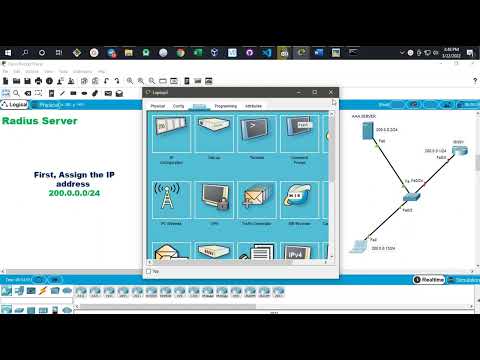
How to Configure IEEE Port-Based Authentication l Step-by-step Tutorial ⌚ TIMESTAMPS 0:00 Introduction 2:59 Configuration 11:40 Verification 14:00 Conclusion The standard defines a client-server-based access control and authentication protocol that prevents unauthorized clients from connecting to a LAN through publicly accessible ports unless they are properly authenticated. The authentication server authenticates each client connected to a switch port before making available any services offered by the switch or the LAN. Note Until the client is authenticated, access control allows only Extensible Authentication Protocol over LAN (EAPOL), Cisco Discovery Protocol (CDP), and Spanning Tree Protocol (STP) traffic through the port to which the client is connected. After authentication is successful, normal traffic can pass through the port. To allow per-user ACLs or VLAN assignment, you must enable AAA authorization to configure the switch for all network-related service requests. This is the AAA process: Before you begin To configure port-based authentication, you must enable authentication, authorization, and accounting (AAA) and specify the authentication method list. A method list describes the sequence and authentication method to be queried to authenticate a user. SUMMARY STEPS 1. A user connects to a port on the switch. 2. Authentication is performed. 3. VLAN assignment is enabled, as appropriate, based on the RADIUS server configuration. 4. The switch sends a start message to an accounting server. 5. Re-authentication is performed, as necessary. 6. The switch sends an interim accounting update to the accounting server that is based on the result of re-authentication. 7. The user disconnects from the port. 8. The switch sends a stop message to the accounting server. Configuring Port-Based Authentication Beginning in privileged EXEC mode, follow these steps to configure port-based authentication: SUMMARY STEPS 1. configure terminal 2. aaa new-model 3. aaa authentication dot1x {default} method1 4. dot1x system-auth-control 5. aaa authorization network {default} group radius 6. radius server server name 7. address {ipv4 | ipv6} ip address 8. key string 9. exit 10. interface interface-id 11. switchport mode access 12. authentication port-control auto 13. dot1x pae authenticator 14. end EXAMPLE CONFIGURATION: conf t aaa new-model ! aaa authentication dot1x default group radius aaa authorization network default group radius ! radius server RADIUS_SERVER address ipv4 auth-port 1812 acct-port 1813 key radiuspass exit ! dot1x system-auth-control ! interface g0/0 switchport mode access authentication port-control auto dot1x pae authenticator end wr Monitoring Statistics and Status 1. show dot1x all statistics - Displays statistics for all ports 2. show dot1x interface interface-id statistics - Displays statistics for a specific port 3. show dot1x all [count | details | statistics | summary] - Displays the administrative and operational status for a switch 4. show dot1x interface interface-id - Displays the administrative and operational status for a specific port 5. show dot1x all summary 6. show authentication sessions 🔔 Subscribe to my YouTube channel: @FerdsTechChannel 📃Playlist of all my videos on : References: #reference_zmr_l2g_2gb #GUID-430BBBAE-CB5D-46F9-80B2-6DF8A5497922 #cisco #ccna #ccnp #ccie
- 37712Просмотров
- 4 года назадОпубликованоFerds Tech Channel
How to Configure IEEE 802.1X Port-Based Authentication l Step-by-Step Tutorial
Похожее видео



Популярное
Новини