Hey dudes! Thank you so much for tuning in to the video. I have compiled the ultimate list for the PROPER steps, AFTER you finish building your PC or if you bought a prebuild / 2nd hand PC. If you feel there is anything that needs to be corrected or added, please let me know by leaving a comment below. If you have any questions or concerns, please comment down below. I hope you enjoy the video and thanks for the support. 😎 See pinned comment for the comprehensive list of what you should be doing after your build! 😎 Below is the list of programs that I recommend looking in to! Gaming download agents: - Steam - Epic Games - Blizzard - Origin - GOG - Ubisoft Other software I use: Video Editing: - Adobe Premiere Pro (Paid) - Davinci Resolve (Free) Photo Editing: - Adobe Photoshop (Paid) - Canva (Free) - Gimp (Free) Wallpapers - Wallpaper Engine ( Best $4 you'll ever spend) Screen Recording: - OBS (Free) Universal RGB control (Most features are free) - Signal RGB: --------------------------------------------------------- 💥 My Main PC and monitors 💥 Case: Motherboard: CPU: CPU Cooler: GPU: GPU Sag Bracket: RAM: ( x2 ) PSU: PSU Extensions: SSD: ( 2TB x2 ) Fans: ( x4 / 3-pack ) Thermal Paste: Thermal Paste Spreader: ( 3 Pack ) Ultrawide: Top monitor: Monitor stand: 🔴 Desk Setup / Misc 🔴 Keyboard: Mouse: Wrist Pad: Mouse Pad : Microphone: Boom Arm: Headphones: Audio Interface: Speakers: Speaker Stands: Foot Rests: Fake Vines: Chair: Lego Bonsai: Alex Drawer Ogranizers: Desktop Spacers: Pixel Art Frame ~ Divoom: 😎 Recording 😎 Tri-Pod Camera: Gimbal Camera: Gimbal: Remote for Camera: Box Lights: 👍Amazon Affiliate Links 👍 ( When you buy through an affiliate link, I may receive a commission on the sale - as an Amazon Associate, I earn from qualifying purchases. Prices of the products do not change because of the created link ) --------------------------------------------------------- Socials: My Discord ~ TikTok ~ @dankamyouknow?lang=en Twitch ~ Instagram ~ --------------------------------------------------------- Business Inquiries: Dankamcontact@ --------------------------------------------------------- Chapters: 0:00 - Intro 0:23 - Notes on the Video 2:53 - Watch your CPU Idle Temps 3:46 - BIOS: Setting RAM Speeds (XMP/DOCP) 4:38 - BIOS: Resizable Bar 5:45 - BIOS: Boot Priority 6:25 - BIOS: Fan Curves 7:45 - Updating Everything: Windows, Motherboard Drivers, GPU 10:16 - Display Settings: Refresh Rate 12:29 - Power and Sleep Settings 13:14 - Mouse Settings: Disabling Enhanced Pointer Precision 14:28 - Taskbar Settings 15:29 - Setting Up Storage Drives 17:02 - Downloading Software to Control Your Components 18:30 - Benchmarking/Testing Your System 21:30 - Downloading All Your Favorite Programs 22:42 - Startup Applications 23:48 - Outro
- 20656Просмотров
- 2 года назадОпубликованоDanKamYouKnow
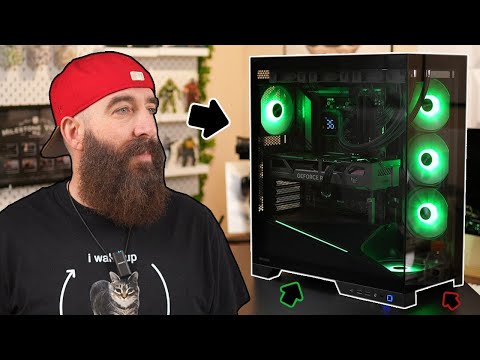
The PROPER Steps AFTER You Build Your Gaming PC! See Pinned Comment.
Похожее видео






Популярное
Новини