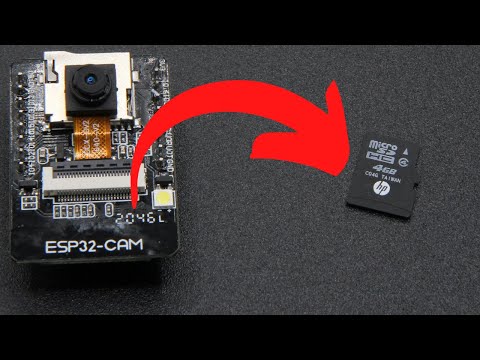
Here's a tutorial about how to record a movie using the ESP32 CAM microcontroller module and save it onto an SD card. I've used the ESP32-CAM-Video-Recorder-junior example project. It records a series of short movies in .AVI format onto the ESP32 CAM's SD card. It doesn't need a wifi connection so you can use it anywhere. ESP32 CAM movie source code: [not my code btw] If you have any issues with the ESP32 CAM module then do please drop a comment below. Here's some more ESP32 CAM tutorials and videos: My cinematic movie shot on the ESP32 CAM + OV2640 Fisheye Lens: Doll webcam tutorial (how to set up ESP32 CAM): How to save still images to ESP32 CAM SD card: ESP32 CAM timelapse photography tutorial: 00:00 - Introduction 00:33 - Camera Code 03:15 - Adjusting Settings 04:48 - Reviewing Movie Footage 06:30 - Green Tint Issue 07:14 - Point & Shoot 07:50 - OV2640 Fisheye Lens 07:58 - Editing Movies in CapCut In the video I also address a few frequently asked questions, including dealing with green tinted movies, file corruption issues and changing the default settings. I also address some limitations including the slow frame rate and lack of viewfinder like you get with regular cameras. The example movies featured in this video were all shot on the OV2640 fisheye lens. It gives a superwide 160° field of view. The OV2640 was discontinued back in 2009 but it's a nice little lens with a very wide field of view that makes it an excellent choice for home made security cameras and bodycams. Obviously it's not designed as a landscape photography lens. Although the still images are pretty good, it's not comparable to modern movie cameras. The lens itself only has a diameter of about 7mm. You can find them on AliExpress, Amazon and eBay.
- 22331Просмотров
- 1 год назадОпубликованоCoding With Brett
ESP32 CAM How to Save Movies to SD Card
Похожее видео





Популярное
Новини