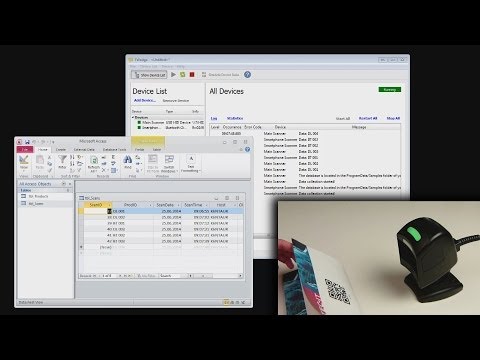
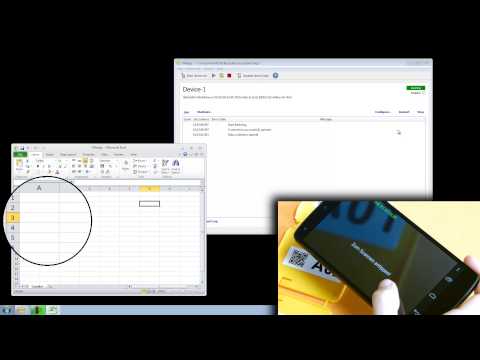
- Data Acquisition Software TWedge This tutorial video outlines the interface and protocol support of the software wedge TWedge. Basically, TWedge supports virtual and physical serial connections, native Bluetooth connections, TCP, UDP and - as a special highlight - USB HID. Serial Connections: The COM port and handshaking parameters are adjustable. When using a virtual COM port (e.g. as provided by the drivers of some USB devices), TWedge is able to monitor device connectivity. If supported by the underlying driver, TWedge tries to re-establish lost device connections. TCP Client: Hostname (or IP-address) and port of the target system are adjustable. Lost connections (e.g. device out of range on WiFi) can be detected - and recovered. If keep-alive handling is enabled a lost connection is usually detected much faster than without using keep-alive. TCP Server: In the current TWedge version, the server is able to handle exactly one client connection at a time. UDP Client: Like for TCP, the hostname (IP-address) and the port number are adjustable. Since UDP is not connection orientated, lost connections cannot be detected and/or received. UDP Server: The UDP server accepts datagrams from any client. Data written by the server is sent to the last connected UDP client. Bluetooth SPP Client: TWedge is able to act as client for Bluetooth SPP (serial port profile) connections. The use of a virtual COM port is not required, thus lost Bluetooth device connections can be detected - and recovered - reliably. Please note, that Bluetooth devices must be paired with the PC before they can be used. Bluetooth SPP Server: TWedge is able to act as server for Bluetooth SPP clients. Exactly one client can be handled at a time. USB HID Device: TWedge is able to intercept and process data from USB HID devices like USB barcode readers or USB keyboards. Multiple USB keyboard wedge barcode scanners can be operated with a single PC simultaneously. The received data is associated with the originating device. As an example it is possible to use different keyboards for different applications. Null Device: This device is intended for testing purposes only. ****** The software wedge TWedge makes automated data acquisition with serial (RS232, RS485), Bluetooth®, TCP, UDP and USB HID based devices easy. TWedge version 3 offers unmatched possibilities, advantages and capabilities. TWedge collects data from devices like bar-code readers, barcode scanners, gages, gauges, electronic scales, PLCs, RFID controllers, RFID and ID tag readers, balances, digital pH meters, measurement devices, distance sensors, laser sensors, electrochemistry meters, laboratory instruments, sensors, densitometers, GPS receivers, etc. Captured data is forwarded immediately to databases, applications and ERP systems like SAP® R/3®. Choose between direct ODBC database access, Microsoft Excel connectivity, file access or keystroke simulation (keyboard wedge). Device connections are bi-directional, thus this data acquisition software can also send control commands to the connected device or poll it on a regularly base. Main Features ------------------ Multiple Devices: A single TWedge instance is able to handle multiple devices in parallel. The maximal number of devices is limited by the license kind and the available system resources. Interface Types: TWedge supports the following interfaces: serial COM ports, TCP client, TCP server, UDP client, UDP server, Bluetooth client, Bluetooth server, USB HID. Integrated Microsoft Excel Support: Data can be forwarded to Excel worksheets via DDE (dynamic data exchange). Ready-to-Use Data Acquisition Templates: TWedge provides ready-to-use action templates which cover common data collection and data acquisition scenarios. Connection Recovery: Interrupted TCP, Bluetooth and serial connections on virtual ports can be re-established automatically. Database, File, Excel and Clipboard Access: TWedge extends standard JavaScript with access-methods for files, ODBC databases and other applications. Scripting: TWedge generates JavaScript code which encapsulates the data acquisition logic. If required, every aspect of device connectivity or the data acquisition logic can be customized. High-Performance JavaScript Engine: TWedge embeds the well-known V8 JavaScript engine (as used in the Chrome browser). ****** Copyright: TEC-IT Datenverarbeitung GmbH, Steyr, Austria, Music: Track Mirteaux from the album Newborn Butterflies by StrangeZero - -
- 12698Просмотров
- 1 десятилетие назадОпубликованоTEC-IT Software
TWedge Tutorial #2: Device & Interface Support
Похожее видео








Популярное
Новини