Thanks for watching! Link to project: Link to files and hardware to purchase: %20Robot Blender - Arduino - Chapters: 00:00 - Introduction 00:12 - Overview of Steps 00:27 - Installing Blender 00:37 - Getting the Plugin From Github 01:01 - Installing MarIOnette on Mac 01:29 - Installing MarIOnette on Windows 01:36 - Installing MarIOnette on Windows (For Real This Time) 02:07 - Installing Arduino 02:20 - Installing Libraries 02:37 - STL Files 02:41 - Print Settings 02:51 - Blender Rigging Tutorial 03:04 - Importing Geometry 03:14 - Scale Geometry and Apply Scale 03:55 - Splitting Mesh 04:24 - Organizing Objects 04:36 - Merging Common Objects Together 05:47 - Creating Armature 07:11 - Creating Arm Bones 12:30 - Symmetrize Bones 13:39 - IK Bone 14:16 - Linking Objects to Bones 16:23 - Locking Axes of Rotation 17:55 - Adding IK Constraints 19:11 - Locking IK Axes 21:13 - Creating IK/FK Switch Bone 21:54 - Limiting Location of Bone 23:22 - Creating Driver to Control IK Influence 24:52 - Creating Custom Bone Shape 29:06 - Creating Background and Hiding Guides 30:50 - Required Hardware 30:56 - Threaded Parts 31:32 - Installing Servo Horns 31:39 - Large Bearing Installation 31:44 - Servo Installation 31:55 - Attaching the Face 32:08 - Small Bearing Installation 32:20 - Attaching Arms to Servo Horns 32:38 - Assembling Lower Arms 32:52 - Attaching Pen Holder to Lower Arms 33:01 - Attaching Lower Arms to Upper Arms 33:15 - Installing Pencil 33:23 - Arduino Wiring 33:43 - Syncing MarIOnette to Arduino 34:19 - Uploading Code to Arduino 34:38 - Connecting to Arduino 34:48 - Linking Servos to Bones With MarIOnette 35:59 - Setup Done 36:09 - Follow Path
- 12712Просмотров
- 2 года назадОпубликованоkneekoh
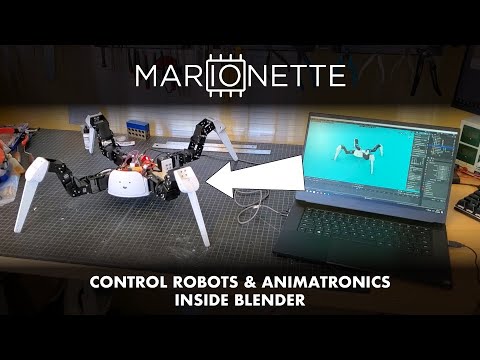
MarIOnette Tutorial: Make Your Own Post-It Drawing Robot
Похожее видео




Популярное
Новини