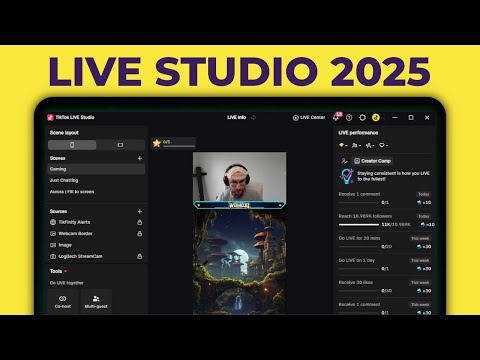
In this video guide, I show how to set up TikTok LIVE Studio from scratch. 🔴 *Live Success* Patreon - Join the Live Success Academy ►► Monetise and grow your live stream with my free newsletter ►► 🔗 *Links from the video* LIVE Studio Download ►► Download LIVE Studio (Affiliate link) ►► Mac streaming guide ►► Use your phone as a webcam ►► LIVE Studio Discord ►► Fix Issues With LS ►► List of agencies ►► Get access under 1k followers ►► ❓ *Get Support* Join the Discord ►► Book a 1-on-1 with me ►► Get help from me on Fiverr ►► 😎 *Support the channel* Financially support my work with the links below. Most links below are affiliate links. Become a member from $ ►► Throne (Item wishlist) ►► Ko-fi ►► 💰 *Save Money* 20% off TikFinity Pro ►► Up to 69% off NordVPN ►► $10 off Streamlabs Ultra ►► 🎓 *Educate Yourself* These *free* newsletters have helped me grow. Weekly list of sponsorships ►► Latest content creator news ►► Getter better at YT titles ►► 🎥 *Featured In This Video* Filmed with VBI green screen background ►► Music from StreamBeats ►► Edited using VEED ►► ✍ Blog post ►► 🌎 All other links ►► 💼 Business email ►► teamwgmojo@ Timestamps: 00:00 - Intro 00:10 - Requirements (Followers and PC Specs) 01:23 - Getting started 02:06 - Good quality stream settings 02:27 - Compatibility mode 02:57 - Switch between landscape, portrait and compatibility mode 03:11 - Start from scratch 03:36 - Add your computer screen 05:16 - Add camera with correct settings 07:16 - Remove camera background 07:54 - Add camera border 08:21 - Add goal for coins, subs or followers 10:52 - How to make more money 11:10 - Add alerts for new followers, gifters or subs 13:14 - Top gifters or chatbox 13:29 - Add an image 14:09 - Add text 14:16 - Add a countdown timer 14:36 - Audio settings 15:30 - LIVE Studio themes 16:57 - LIVE goals (subs and gifts) 17:38 - Chat settings including moderators 18:10 - 3 methods to view chat when LIVE 18:54 - Live battles multi-guest and cohost 19:16 - Go LIVE! 19:41 - TikFinity (Much better alerts)
- 241902Просмотров
- 2 года назадОпубликованоTT LIVE With Harry
How To Use TikTok LIVE Studio In 2024 - Complete Tutorial For Beginners
Похожее видео







Популярное
Новини