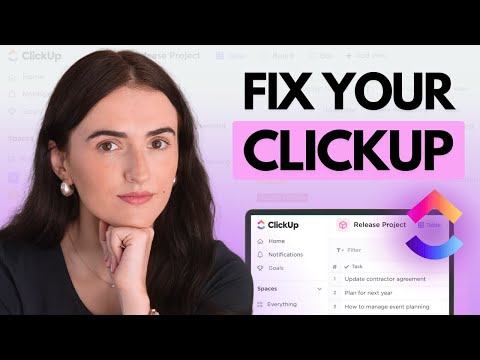
ClickUp Tutorial for Project Management (FREE COURSE!) ►► Sign-up to ClickUp for FREE here: ►► Download my FREE Guide to Master ClickUp here: How to use ClickUp for Project Management? In this video, I'm revealing everything you need to use ClickUp for managing your projects. Here's what you'll learn in this ClickUp tutorial: 1. Getting Started in ClickUp 2. Setting up your Workspace 3. Creating & managing your project in ClickUp 4. Creating & managing your Gantt Chart in ClickUp 5. Updating your project's progress in ClickUp 6. Using the Kanban Board in ClickUp 7. Setting up Project Documents (Project Charter, Meeting Minutes) 🔥 Sign-up to ClickUp for FREE here: ------------------------------------------ 🔥 Books I Recommend to Advance Your Career: - Get any book for FREE with Audible: - Fast Forward MBA in Project Management- - Making Things Happen- - Project Mgmt for the Unofficial PM- - Epic Guide to Agile- ------------------------------------------ Udemy Courses: Practical Project Mgmt- Beginner to PROject Manager- Ultimate Agile Scrum Master Training- Scrum for Beginners Training- Coursera Courses: Google Project Management Certification: UC Irvine Applied Project Management Certification: UC Irvine Project Management Specialization: Engineering Project Management Specialization: Leadership & Management Specialization: Leading Teams Specialization: Please note that some links are affiliate links and I may earn a small commission for any purchase through these links. As an Amazon Associate I earn from qualifying purchases. Alvin is a participant in the ClickUp Affiliate Program and may earn a commission if you click on the referral link and make a purchase. This supports me at no additional cost to you, so I can keep creating high quality content just like this! Thank you for your support! ABOUT THE VIDEO - ClickUp Tutorial for Project Management (FREE Course!) This is how to get started with ClickUp for beginners tutorial where I walk you through how to use ClickUp to create and manage your projects, track your progress, and manage your work using the Gantt Chart & Kanban Board, from beginning to end. ATTRIBUTES: Icons made by Freepik ( ) from Stock images from Pixabay. Music Credits Breaktime by Kevin MacLeod ( ) -Licensed under Creative Commons: By Attribution 3.0 License DISCLAIMER: All material has been created with the careful consideration of, and ensuring compliance with PMI’s Code of Ethics and Professional Conduct. Please read the full Disclaimer at this link: ClickUp is a trademark and service mark of Mango Technologies, Inc. DBA ClickUp, registered in the U.S. and in other countries. This video is not endorsed by, sponsored by, or directly affiliated with ClickUp. All content on this has been created by Alvin ("Alvin the PM"). For official ClickUp information, check out their website at . Alvin the PM is a participant in the Amazon Services LLC Associates Program, an affiliate advertising program designed to provide a means for sites to earn advertising fees by advertising and linking to .
- 9271Просмотров
- 3 месяца назадОпубликованоAlvin the PM - Become a Certified Project Manager
ClickUp Tutorial for Project Management (FREE COURSE!)
Похожее видео






Популярное
Новини