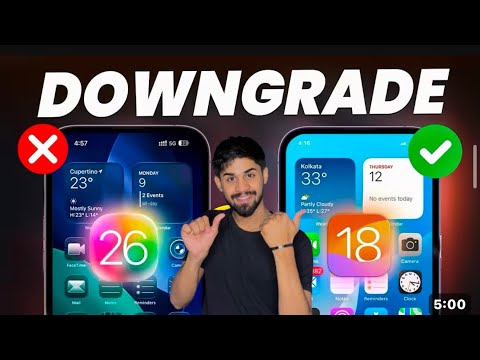
How to Downgrade iOS 26 to iOS 18 Without Losing Any Data - iOS 26 to iOS 18 downgrade step by step. If you want to remove or uninstall iOS 26 and go back to iOS 1 with iOS 18.5, iOS 18.6 or later, I show you how to downgrade iOS 26 step-by-step. You will need a Mac or Windows Computer to downgrade iOS 26 to iOS 18. I show you how to uninstall iOS 26 beta using a MacBook Pro or iMac and iPhone 16 Pro. Downgrade iOS 19 to iOS 18. If you are using iCloud much of your data will transfer automatically with iMessage, Mail, WhatsApp, Photos, Music and more just syncing through iTunes. #iOS26 #Apple #iPhone ⌚️ Watch Band I am using - *Chapters* 00:00 - iOS 26 Downgrade 00:26 - What You Need To Downgrade 00:54 - Caution Before You Downgrade 01:25 - Backup and iCloud 02:18 - Everything that gets Backed Up Restored 03:02 - Restoring iOS 18 onto iPhone 03:50 - How To Get Out Of Recovery Mode 05:06 - Restoring To iOS 18 07:45 - Back on iOS 18 08:44 - eSIM 09:18 - Restoring Your Data 10:00 - iOS 26 Backups on iOS 18 11:08 - Data Restore Started 13:07 - Complete 26 to iOS 18 Downgrade and Restoration 14:35 - Total Time To Restore 14:59 - Conclusion Recent Videos: iOS 18 Beta 3 is Out! - What’s New? - iOS 18 is Huge! - 40+ More New Features and Changes - macOS 15 Sequoia - Every New Feature - watchOS 11 - Everything New - iOS 18 Beta 1 is Out! - What’s New? - *Gear I use* 🎥📷 CAMERA: Lens: 🎤 Microphone - *Find Me Here* Website - Telegram - Support ZOLLOTECH on Amazon: Previous Wallpaper by fresk0 - [DISCLOSURES] This post may contain affiliate links, which help Aaron / Zollotech with a commission if you make a purchase. Thanks for watching and I’ll see you next time!
- 537783Просмотров
- 4 месяца назадОпубликованоzollotech
How To Downgrade iOS 26 to iOS 18 Without Losing Any Data
Похожее видео








Популярное
Новини