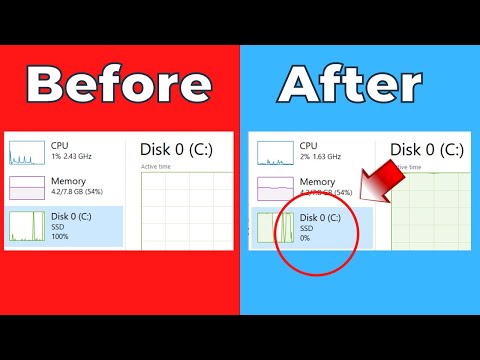
How to fix high disk usage in Windows 11. Is your Windows 11 PC continuously staying at 100% disk usage? This slows down your PC and if this stays for long, it could damage your hard disk. In this video, you will see how to fix 100% disk usage in Windows 11 PC. The video contains the following points- 0:00 Intro 0:24 Identify the Cause of High Disk Usage 1:12 Fix 1 - Disable SysMain (Superfetch) Service 2:06 Fix 2- Disable Windows Search 3:03 Fix 3- Restart your PC in Safe Mode 3:46 Fix 4- Disable MSI Mode 5:57 Fix 5- Disable Connected User Experience and Telemetry 6:38 Fix 6- Disable Scheduled Defragmentation 7:07 Fix 7- Disable Startup Apps 7:35 Fix 8- Run Check Disk 8:21 Fix 9- Reset Virtual Memory 9:23 Fix 10- Change Settings in Google Chrome 10:01 Fix 11- Scan your PC for Malware 10:47 Fix 12- Clean Install Windows 11 Like | Share | Subscribe #highdiskusage #windows11 #fixWindows11 #windows11fix
- 45458Просмотров
- 2 года назадОпубликованоWindowsChimp
How to Fix 100% Disk Usage in Windows 11? Fix High Disk Usage
Похожее видео









Популярное
Новини