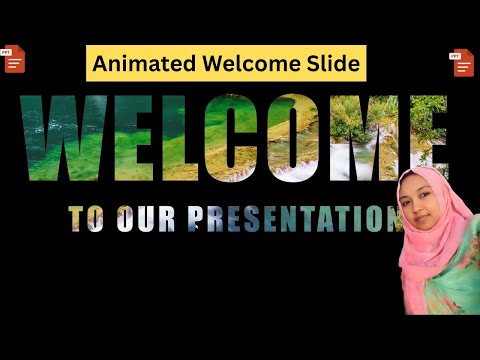
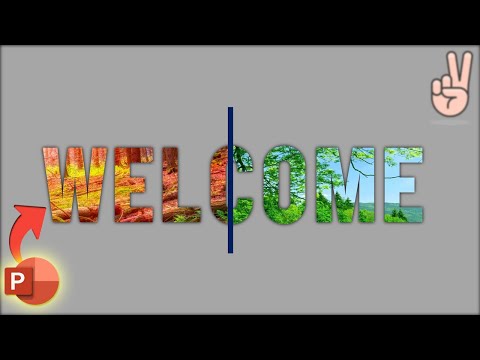
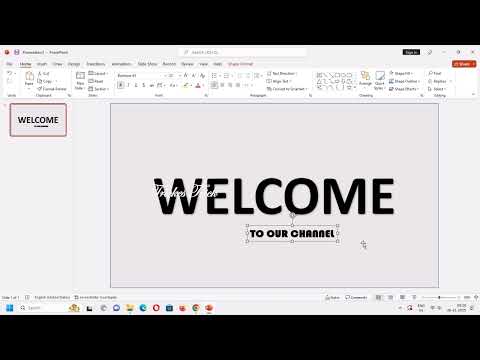
Learn how to create a stunning MOTION CHANGE ANIMATED WELCOME SLIDE in Microsoft PowerPoint! This complete tutorial shows you how to design a beautiful, professional welcome presentation with smooth animations and creative text effects. 🎯 What You'll Learn: ✅ Create custom background colors for slides ✅ Design animated welcome text with bold typography ✅ Use merge shapes (subtract) for creative effects ✅ Add "Creative PowerPoint Presentation" subtitle ✅ Adjust character spacing for professional look ✅ Insert and integrate images from Google ✅ Use eyedropper tool for perfect color matching ✅ Apply motion change animation effects ✅ Create smooth line animations (left to right) ✅ Master animation painter technique ✅ Set animation timing (after previous) ✅ Professional slide sequencing ⏰ TIMESTAMPS: 0:00 - Introduction 0:07 - Set Background Color 0:17 - Insert Text Box & Write "Welcome" 0:29 - Font Selection, Bold, Size 260 0:38 - Format, Align Center & Middle 0:45 - Insert Rectangle Shape 0:53 - Remove Outline & Send to Back 1:02 - Add Subtitle Text Box 1:10 - Adjust Character Spacing 1:17 - Center Content & Make Bold 1:25 - Insert Second Rectangle 1:30 - Insert Image from Google 1:39 - Position Image on Right Side 1:50 - Use Eyedropper for Color Matching 2:12 - Apply Line Animation (Left Effect) 2:17 - Increase Animation Duration 2:28 - Use Animation Painter 2:36 - Send to Back & Position Arrow 2:44 - Preview Slideshow 🎨 Design Techniques Covered: • Motion change animation effects • Merge shape subtract technique • Color coordination with eyedropper • Character spacing optimization • Animation timing and sequencing • Animation painter for consistency • Professional typography design • Image integration techniques 💡 Perfect For: • Business presentations and meetings • Project presentations and proposals • Educational presentations • Conference and seminar slides • Corporate welcome screens • Professional slide decks • Marketing presentations • Welcome slides for any occasion 🔥 Key PowerPoint Features: • Motion change animation • Line animation effects • Animation painter tool • Merge shapes technique • Eyedropper color matching • Character spacing control • Professional slide design • Start after previous timing 📚 Related Tutorials: • Thank you slide animation • PowerPoint presentation skills • Animation tutorial for beginners • Professional slide design • PowerPoint morph transition • Interactive presentations 🎓 Skill Level: Beginner to Intermediate ⚡ Duration: 2:52 minutes 🛠️ Software: Microsoft PowerPoint 2016/2019/2024 (All Versions) 📱 Works on: Windows & Mac ✨ Why This Tutorial? Create stunning welcome slides that make a powerful first impression! Perfect for anyone wanting to elevate their PowerPoint presentation skills with professional animations and modern design techniques. 👍 If You Like This Video: • LIKE and appreciate our efforts • SUBSCRIBE for more PowerPoint tutorials • Press the BELL ICON for notifications • SHARE with friends and colleagues • COMMENT your presentation ideas! 🔔 Subscribe for Weekly PowerPoint Content: New tutorials every week on PowerPoint animations, slide design, presentation skills, and creative techniques! 💬 Video Requests? Drop your suggestions in comments! We create tutorials based on what YOU want to learn. 🎁 Free Resources: Check our community tab for free PowerPoint templates and design resources! #WelcomeSlide #PowerPointAnimation #MotionChange #PowerPointTutorial #PresentationDesign #AnimatedSlide #PowerPointTips #PPTAnimation #WelcomePPT #SlideDesign #PresentationSkills #PowerPointWelcome #CreativePowerPoint #AnimationTutorial #ProfessionalPresentation
- 1833Просмотров
- 5 месяцев назадОпубликованоAkshrikaPPT
Motion Change Animated Welcome Slide Design in PowerPoint | PowerPoint Presentation Topic Animation
Похожее видео









Популярное
Новини