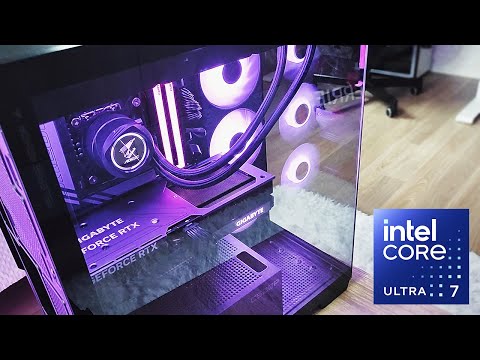
In this video, I’ll walk you step-by-step through undervolting and optimizing the Intel Core Ultra 7 265K desktop CPU using Intel XTU and in BIOS. We'll check 3 custom undervolt profiles that can hopefully satisfy your needs! We’ll compare performance, temps, and power draw against stock settings, showing how undervolting can make the 265K run up to 20°C cooler and 50W more efficient without losing stability or performance. If you’re running an Arrow Lake CPU, this guide will help you get the most out of your system. Thanks for watching, don’t forget to like & subscribe if this helps you out! XTU Profiles: XTU Download: Join the community in the Discord server: ---------------------------------------------------------------- You can find all parts specs here: Motherboard: Gigabyte Z890 AORUS ELITE X ICE Intel Core Ultra 7 265K GPU: AMD Radeon GIGABYTE RX 7800 XT GAMING OC 16G CPU AIO Cooler: Arctic Liquid Freezer III 240 A-RGB (WHITE) RAM: Patriot Viper Xtreme 5 RGB DDR5 32GB 8000MHz SSD: Kingston Fury Renegade PCIe 4.0 M.2 1TB PSU: NZXT C1000 Gold (ATX 3.1, 1000W) Case: Fractal Design Pop Air RGB Cyan Case Fans: Fractal Design Prisma AL-14 PWM WHITE 2x Fractal Design Prisma AL-12 PWM 1x ---------------------------------------------------------------- 0:00 Intro & Overview 2:27 Intel XTU Install 2:48 XTU Tour 8:47 BIOS Setup & Key Settings 19:47 Intel Default Settings (Performance) 21:38 XTU Default Settings 22:48 My 3 Undervolt Profiles (XTU) 23:39 Undervolt - High Clocks Profile 26:10 Undervolt Profile 28:15 Super Undervolt Profile 31:03 XTU Tips 31:30 Baking Undervolt Into BIOS 36:01 Benchmarks and Stress tests 40:31 Gaming Benchmarks 43:09 Takeaways & Outro #Intel #IntelCoreUltra #ArrowLake #IntelCPU #undervolt #undervolting
- 5534Просмотров
- 3 месяца назадОпубликованоTECHOSAUR
Undervolt Intel Core Ultra 7 265K – 20°C Cooler & 50W Less Power! (XTU Full Guide)
Похожее видео











Популярное
Новини