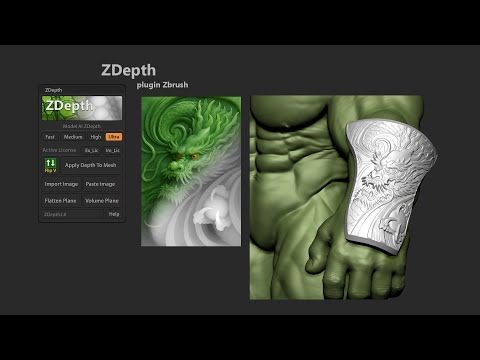
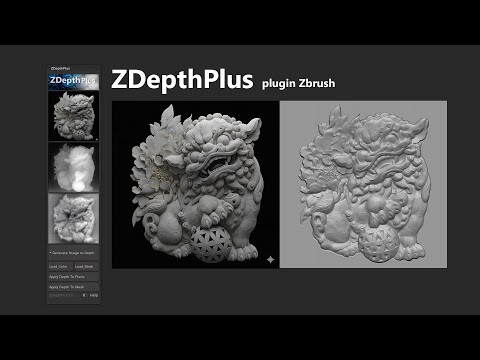
ZDepth Plugin 2.0 for ZBrush Download: New Features in 2.0 1. Flip Texture Import Allows importing textures and automatically flipping them along the V-axis before bringing them into ZBrush. Saves time and reduces the creation of unnecessary extra texture files. 2. Apply Depth To Mesh Supports importing RGB textures, meshes with UVs, and subdivisions. Automatically applies a Displacement Map directly onto the mesh with 5 layers of information: Depth Cavity Curvature Linenet Bump New Features in Update Layer Line Net (Optional) Use Topaz Photo AI Pro to upscale your input image → higher quality detail when generating depth. Import or paste the image into ZBrush. AI converts it into a Depth Map. Depth Map can be applied as Alpha or converted into a Mesh Plane. Choose between: • Flatten Plane (clean, flat Alpha) • Volume Plane (preserve 3D form) Switch between AI Models (Fast, Medium, High, Ultra) to balance speed and quality. Activate once with Gumroad Key → reuse for future installs. #ZDepth #ZBrush #ZBrushPlugin #3DModeling #DigitalSculpting #ImageToDepth #DepthMap #AI3D #ZBrushTools #3DTools #CGArtist #3DArt #CharacterArt #ZMPolygon
- 15310Просмотров
- 2 месяца назадОпубликованоTonthienhai
ZDepth Plugin 2.0 for ZBrush Demo
Похожее видео





Популярное
Новини