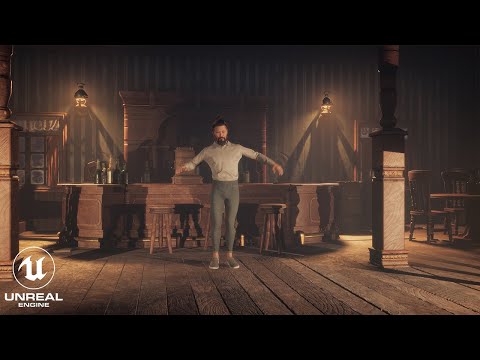
Get access to 200+ hours of TouchDesigner video training, a private Facebook group where Elburz Sorkhabi and Matthew Ragan answer all your questions, and twice-monthly group coaching/mastermind calls here: Get project files here: Although originally developed for creating video games, Epic Games’ Unreal Engine is now being utilized in fields like broadcast, live events, and virtual production. Among the many features Unreal is known for, its real-time 3D graphics capabilities are especially notable, capable of generating highly realistic and complex scenes while maintaining real-time performance. It also has a wide array of connectivity options built in, including OSC, DMX, and more, making it easy to connect with a variety of hardware, software and other tools. In this video, Jack DiLaura walks you through building an immersive project with Unreal Engine and the Kinect. As is often the case in real-world scenarios, you’ll integrate additional software into the project by using TouchDesigner to grab control channels from the Kinect and route them to Unreal Engine as OSC messages. In Unreal, you’ll set up Niagara particle systems, a cinematic camera, and blueprints to route the OSC messages to transform the positions of objects within the scene. Chop Execute DAT Code from TouchDesigner Project: nullChop = op( ) posVals = [nullChop[i].eval() for i in range(6)] lPos = posVals[0:3] rPos = posVals[3:6] oscDat = op('oscout1') ('/left', lPos, asBundle=True) ('/right', rPos, asBundle=True) Unreal OSC Blueprint: Available at: On the page linked above, click the button below the “Code to copy” header, which will automatically copy the blueprint in your clipboard. Then in the Unreal Engine blueprint editor, paste with Ctrl+V. Chapters: 00:00:00 - Connecting Connect V2 to Unreal Engine 00:04:03 - Renaming Channels and Filtering 00:08:12 - Setting Up a New Project in Unreal 00:11:31 - Installing the Virtual Camera Plugin 00:16:01 - Changing System Parameters 00:20:03 - Adding Collisions 00:23:50 - Adding the Cinematic Camera Actor to the Project 00:27:56 - Adding Player Controller 00:31:50 - Setting Up Camera Views and Particle Systems 00:36:19 - Adding OSC Control to Objects in Unreal Engine 00:40:40 - Parsing OSC messages and adjusting positions 00:45:02 - Setting up the Niagara systems 00:49:00 - More TouchDesigner and Immersive Content
- 21886Просмотров
- 2 года назадОпубликованоThe Interactive & Immersive HQ
Unreal Engine + Kinect for Immersive Experiences
Похожее видео



Популярное
Новини