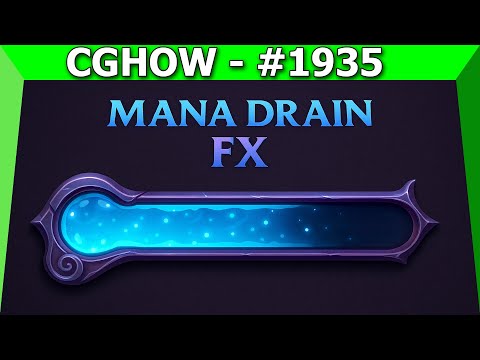
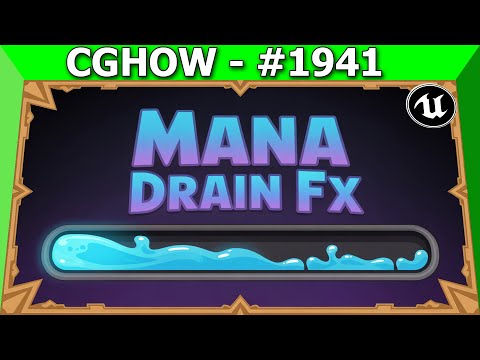
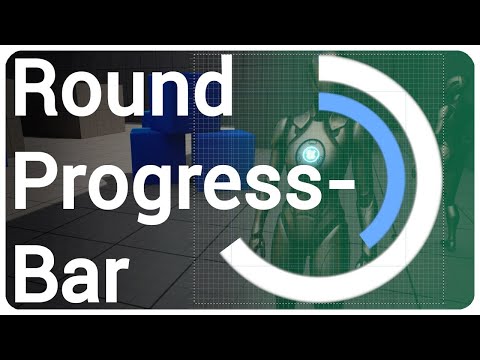
Learn to create stunning progress bar UI widgets in Unreal Engine 5 with this step-by-step tutorial! Your guide, Ashif Ali, a RealtimeVFX artist and YouTuber from India, will teach you how to add professional-quality dissolve and distort material effects that are perfect for game UI and interactive elements. This video is ideal for game developers and VFX artists who want to go beyond a basic progress bar and create a truly dynamic and engaging UI. We will dive deep into the Unreal Engine Material Editor to build this versatile asset from scratch. You'll gain a deep understanding of advanced material nodes and how to use them to create both a classic progress bar and a unique, glitching or dissolving effect. What You'll Learn in this Tutorial: 🎯 Progress Bar UI Material Setup: Master the essential nodes and techniques needed to create a perfectly functional and customizable progress bar that can be used for health, mana, or experience. 🎯 Dissolve & Distort Material Effects: Discover how to add a powerful dissolve effect that makes your progress bar feel like it's burning away or glitching out. I'll also show you how to add a subtle distort effect to give your UI a more dynamic, liquid-like feel. 🎯 Linking Gameplay Logic to UI: Learn how to set up communication between your game logic and your UI widget so your progress bar accurately reflects the state of your game. 🎯 Real-time Parameter Adjustments: I'll show you how to use material instances to tweak all of your parameters in real-time, making your workflow incredibly fast and efficient. Keywords & Information: Tutorial Level: Beginner Software: Unreal Engine 5 (UE5) Keywords: Unreal Engine 5, UE5, UE5 Niagara, Niagara tutorial, Healing VFX, Healing Beam, Magical VFX, RealtimeVFX, Game VFX, Unreal Engine tutorial, VFX tutorial, Game art, UE5 particle system, Niagara particle effect, visual effects, CGHOW, Ashif Ali. Socials & Call-to-Action: I hope you found this tutorial helpful for your projects! If you enjoyed learning how to create this Progress Bar Widget, please hit the like button 👍 and subscribe to my channel, CGHOW, for more Unreal Engine tutorials. 🔔 Course: Linktree: Website: ArtStation: Twitter: Instagram: #UnrealEngine #RealtimeVFX #UIeffects 0:00 Intro & Final Effect Preview: Dynamic Distorted UI Slider 🤩 0:13 Creating the Base Shape: Round Rectangle Material Function 0:48 Setting Dimensions & Corner Radius Parameters 1:43 Applying Base Color & Implementing the Basic Wipe Mask 2:14 Adding SmoothStep Control for Soft/Sharp Edge Fade 3:00 Testing the Basic Slide and Two-Sided Visibility 3:47 Adding Vertical Distortion: Gradient + Multiply UVs 🌊 5:16 Introducing Random Noise Texture (Power Texture) for Distortion Tiling 6:28 Adding Panning to the Noise Texture for Animated Distortion 7:00 Creating Second Layer of Floating Distortion (Blurred Noise) 🫧 8:02 Implementing Dynamic Height/Thinning on the Wiping Edge 8:30 Using Lerp and Gradient to Control Bar Height (Min/Max Parameters) 9:38 Building the Edge Frame/Outline Effect (Subtracting Shapes) 🖼️ 10:53 Finalizing the Look: Adding the Frame Color and Blend 12:01 Conclusion & Wrap Up! 👋
- 6749Просмотров
- 5 месяцев назадОпубликованоCGHOW
Unreal Engine 5 - Master Progress Bar UI Widget with Dissolve & Distort Effects
Похожее видео


Популярное
Новини