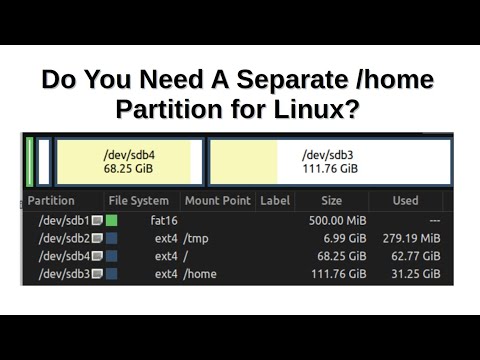
Want to keep your personal data safe when reinstalling or fixing Linux? OR thinking of setting up Linux the right way with clean separation between system files and user data? In this video, I’ll show you how to manually create a separate /home partition during Linux Mint installation—and more importantly, why it’s a smart move for most users. Whether you're a beginner or a Linux tinkerer, this setup gives you more control, flexibility, and peace of mind. 📖 Check out my full blog post for screenshots and more details: 👉 How (and Why) to Install Linux Mint with a Separate Home Partition 💾 Also explore: 👉 Everything You Need to Know About Swap Partition on Linux ✅ What You’ll Learn: - What is the /home partition in Linux - Pros and cons of separating your home partition - Step-by-step installation guide using Linux Mint - Recommended partition sizes (root, home, and swap) - Tips for dual-booting and future-proofing your setup ⏱️ Chapters 0:00 Intro 0:43 What is /home partition in Linux 1:05 Advantages of home partition 2:32 Disadvantages of home partition 4:11 Installation information 5:25 Step-by-step installation 6:39 Partition started 7:18 EFI system partition 8:00 Root partition 8:30 how to calculate size in MB 9:41 Everything you need to know about swap partition 11:26 Swap partition 12:37 Home partition 13:16 Additional steps of installation 15:51 Things to do in Linux Mint after install 16:10 How to switch to nearest mirror for update 17:30 enable firewall 18:00 look at home partition separated 18:27 Things to remember while reinstall 19:13 Is it worth separating home partition 👍 If you find this helpful, don’t forget to like, share, and subscribe for more practical Linux tips! ☕ Support Me: If you enjoy my content and want to support what I do, you can buy me a coffee here: 👉 #LinuxMint #HomePartition #LinuxInstallation #LinuxTips #SwapPartition #LinuxBeginner #LinuxForBeginners
- 2155Просмотров
- 6 месяцев назадОпубликованоREALIQ
How (and Why) you should use separate Home partition | Full Guide
Похожее видео










Популярное
Новини