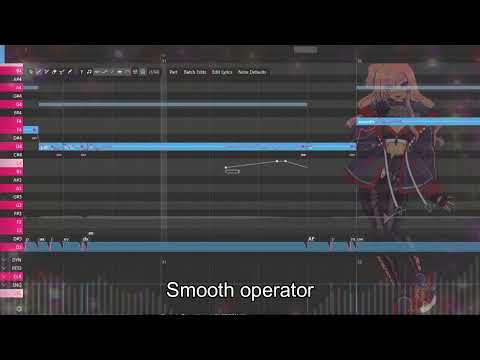
Please note that this tutorial is aimed at Windows users! — We have created another usage guide to go along with ’s Diffsinger release! Any future updates will be posted in this video description. We hope you have fun trying out his voice model! (This video was narrated using ’s RVC model over PixPrucer reading the script!) — Resource Links *New* Akiyama Daichi / Diffsinger MM ver. Download: Akiyama Daichi / Diffsinger Download: Tension is now supported in the main branch of OpenUTAU (Beta ver. only for now), you may update it in the editor itself by going to Tools, Preferences, Advanced Settings, then enabling Beta versions of OpenUTAU. *UPDATE:* In order to use 's model, you will have to download nsf_hifigan, the default vocoder. You can install it here, installation instructions are listed with the file: *If you have any questions or problems with using 's model, please feel free to ask questions in the Diffsinger Discord server, or to message PixPrucer directly.* Diffsinger Discord: (If you have any errors or issues, let us know! We are still testing things, so check back here for updates!) Please note that any other Diffsinger model is not guaranteed to work on this version of OpenUTAU! — EXTRA TIPS (might add to this in the future!) - Tension is not only bound to vowels, but also consonants! Putting tension lower makes the consonants clearer, and putting it higher makes them more slurred. - To further fix the “dx” issue, you can shift the tension up for the consonant, lower the velocity, or use a combination of both. - When converting SVPs to USTx, you must convert all “-” phonemes to “+” phonemes if you want to connect notes. — Tutorial script + PV: PixPrucer Illustration / VA : Peeslubn BGM: sprect - waiting in line at the brown recluse depot Creature doodle: Snowsorry
- 6195Просмотров
- 1 год назадОпубликованоpeeslubn
秋山大智 AI / A.I.CHI DS - Diffsinger Usage Tutorial
Похожее видео









Популярное
Новини