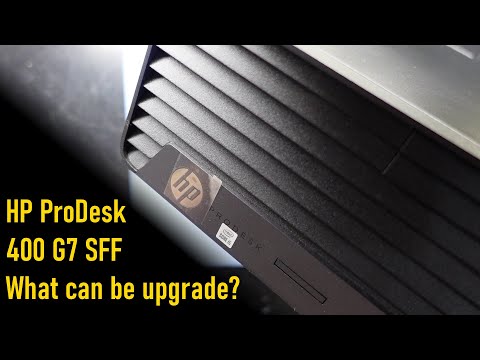
In this video, we're covering how to install an AIO CPU cooler, a case fan, the mighty RX 6700 XT GPU, and a 500W HP PSU replacement! So, sit back, relax, and join me as we dive deep into this extraordinary Office PC gaming upgrade! - Free STL fan bracket for testing: Shop now: - ITG Gear Amazon storefront: - What Cameras and Mics Do I Use: - 3D printing kits: PC Parts: Amazon - $65 Coole Master 120L Core Close-Loop AIO Liquid Cooler - $35 Thermalright Aqua Elite 120 V3 AIO CPU Cooler - 92mm Case fan - 500W power supply replacement for HP - Dual fan GPU - WD Blue NVMe SSD 1TB - DDR4 Desktop RAM AliExpress - Thermalright Aqua Elite 120 V3 AIO CPU Cooler - 92mm Case fan - 500W power supply replacement for HP - DDR4 Desktop RAM 0:00 Introduction 0:50 Free up space inside the PC case 1:25 Upgrading power supply 4:07 Installing a 120mm AIO CPU Cooler 6:31 Installing front intake fan 8:03 Installing RX 6700XT GPU 9:13 CPU and GPU Stress Test 10:00 Gameplay Description: This video details the challenging but rewarding journey of transforming an HP ProDesk 400 G7 office PC into a capable 1440p gaming machine. The extensive upgrade covers proprietary hurdles like replacing the stock PSU with a 500W HP unit (due to non-standard power connectors and lack of PCIe cables) and overcoming form factor limitations by installing an AIO liquid CPU cooler and custom-designed 3D-printed fan brackets for improved airflow. The final build features a powerful Radeon RX 6700 XT 12GB GPU, 32GB of DDR4 RAM, and an NVMe SSD, all while adhering to a strict rule: ensuring the PC remains physically undamaged and fully reversible to its original state. The video concludes with stress tests and gameplay benchmarks in titles like God of War Ragnarök to prove the concept's performance viability. Disclosure: As an Amazon Associate, I earn commission from qualifying purchases. This means that if you make a purchase through my affiliate links, I may receive a small commission at no extra cost to you.
- 17455Просмотров
- 1 месяц назадОпубликованоITG Gear
HP 400 G7 + RX 6700 XT + AIO Cooler! HOW IT GAME?
Похожее видео
Популярное
Новини