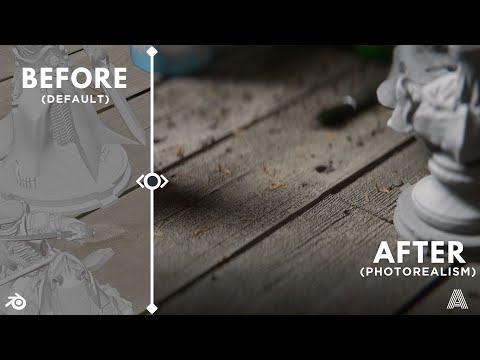
Learn how to use the Render Raw add-on in Blender for streamlined, artistic color grading. In this step-by-step guide, we’ll explore the unified colorist’s panel, inspired by tools like Lightroom and DaVinci Resolve, and show how it can give your renders a cinematic finish. Perfect for Blender artists looking to enhance their visuals with professional-grade color correction. 🦐 ✨ Free Mini-course: -- What is Render Raw? Render Raw, a commercial Blender add-on by @jonlampel that gives you a unified color grading panel — a bit like what you'd see in Adobe Lightroom or DaVinci Resolve, but built directly into Blender. -- Grab a limited-time 10% discount on Render Raw with our special coupon code 'rawshrimp' (affiliate link)! 🦐 -- Download on Superhive: 👽 Download on Gumroad: 🔥 -- Color Grading in Render Raw Mini-course: What you’ll learn? • How to use Render Raw • Cleaner Color Grading for Blender • Step-by-step Raw-Like Workflow • Pro color correction tools • Thinking like a colorist -- Our other color management courses you may also like: - Blender to Resolve Introduction -- 00:00 - Start 00:21 - What is Render Raw 02:08 - Installation 03:23 - What is 'Raw' in Render Raw?! 04:48 - Color grading settings 09:04 - Values 10:05 - Pre- and Post-formation corrections 14:24 - The post-formation logic (of AgX and salmon) 16:43 - The Raw Pipeline 20:00 - Details (Clarity, Sharpness, Texture) 23:51 - Colors 33:02 - Granular adjustments (Per Hue) 36:05 - The post-formation issues 39:58 - Tone mapping 42:24 - Effects 46:57 - Performance 49:36 - Conclusion and final thoughts -- Our socials 🦐: - the course page on Creative Shrimp - Newsletter 💌 - Creative Shrimp website - Patreon - Instagram @glebalexandrow - TikTok - Discord community - Twitter/X -- #b3d #blender3d #render #rendering #colorgrading #digitalart #3dart #3dartist #cinematography
- 12712Просмотров
- 4 месяца назадОпубликованоGleb Alexandrov
How to Use Render Raw in Blender for Professional Color Grading
Похожее видео




Популярное
Новини