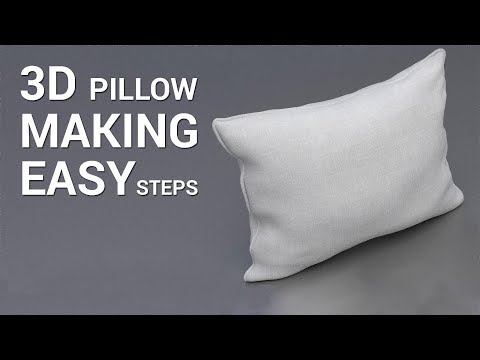
Learn how to create a realistic 3D pillow in Autodesk Maya with this step-by-step, beginner-friendly tutorial! Whether you're a 3D artist, student, or someone exploring modeling for interiors, animation, or gaming, this video will guide you through the entire process—starting from a basic polygon to a fully smooth, soft-looking pillow. ⭐ What You’ll Learn: How to block out the basic pillow shape Using deformers for natural puffiness Adding soft folds and curves Applying subdivision for smooth results Essential tips for realistic modeling Bonus tips for texturing & rendering your pillow This tutorial is perfect for learners who want to improve their modeling skills in Maya and understand how to create soft-surface objects for their projects. 📌 Software Used: Autodesk Maya 📌 Skill Level: Beginner to Intermediate If you found this tutorial helpful, don’t forget to LIKE, SHARE, and SUBSCRIBE for more 3D modeling videos! #MayaTutorial #3DModeling #3DPillow #MayaBeginners #AutodeskMaya #3DDesign #CGI #ModelingTutorial #SoftSurfaceModeling #MayaTips #3DArtist #3DArtCommunity #DigitalArt #MayaLearning
- 60Просмотров
- 3 недели назадОпубликованоMoople Institute Barrackpore (Hi-Tech Animation)
Create a Realistic 3D Pillow in Maya | Beginner-Friendly Modeling Tutorial #MayaTutorial #3dmodeling
Похожее видео





Популярное
Новини