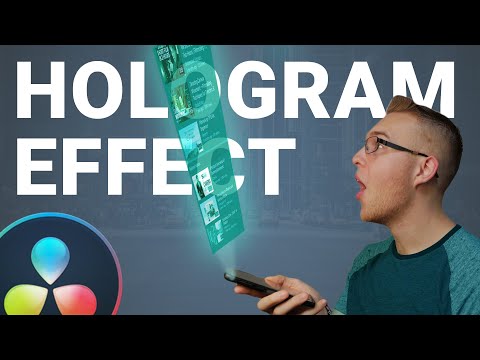
In this easy to follow tutorial I will show you how you can simply create realistic 3D hologram effect in Davinci Resolve. To make it perfect, all you have to do is to shoot one video clip (Clean Plate) of a background with you holding a phone , and second clip with the same background but moving object that you want to apply effect on. Then simply import your clips in to DaVinci Resolve, rotoscope your object (apply magic mask) and put both clips on top of each other, select them and create a fusion clip. In Fusion tab add transform node to animate object's motion, color corrector node to add some glow and brightness, tv effect for realistic looking, directional blur to replicate a projector look and then change Merge node composite mode to Lighten! And last step is to track your object to your phone, so add planar tracker node and track your object and that's it! Perfect for anyone who is looking for inspiration and some new techniques in Davinci Resolve. So subscribe if you want to take your video editing to the next level, because there will be a lot of videos like this in the future! Davinci Resolve tutorial every WEDNESDAY! Download drag & drop presets here: ⚡Join me on INSTAGRAM: 🎥 MY GEAR👇 Camera: Main Lens: Portrait Lens: Cinematic Lens: Gimbal: Phone Gimbal: Drone: Cinematic Mist Filter: ND Filter: Macro Filter: Mic: Main Light: Spotlight: Tube Light: ___ 8 AWESOME Davinci Resolve Effects: Floating Object Effect: Invisible Effect in Davinci Resolve: ----- 0:00 - 0:05 - Intro 0:06 - 0:39 - Rotoscope object 0:40 - 1:46 - Add motion 1:47 - 2:46 - Hologram effect 2:47 - 3:15 - Projector effect 3:16 - 4:03 - Flicker and opacity 4:04 - 4:44 - Tracking 4:45 - 4:56 - Directional blur 4:57 - 05:26 - Shaky camera 5:27 - 5:40 - Outro ---- #davinciresolve #tutorial #effects #hologram #3D #videoediting #musicvideo
- 8688Просмотров
- 4 месяца назадОпубликованоArt 3 Studio
3D Hologram Effect in Davinci Resolve
Похожее видео

Популярное
Новини