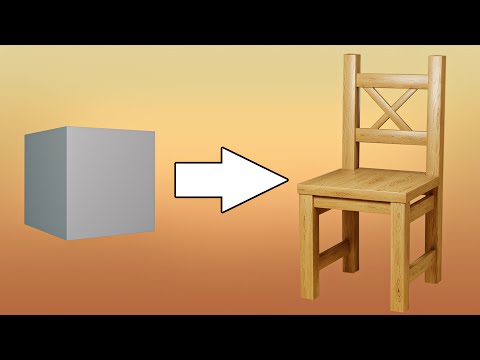
Model a chair in just 3 minutes in Blender Need to whip up a 3D chair in record time? In this lightning-fast Blender tutorial, I’ll show you how to model a stylish chair in just 3 minutes flat! Perfect for beginners or anyone who needs quick assets for their scenes, this tutorial packs professional modeling techniques into a super-efficient workflow. You’ll learn smart shortcuts for shaping the seat, legs, and backrest while maintaining clean geometry. By the end, you’ll have a versatile chair model ready for materials, animations, or interior scenes—all without sacrificing quality for speed. ⌨️ Shortcuts I Use: A – Select/Deselect All X – Delete Shift + A – Add Menu S – Scale (Press X/Y/Z to scale along one axis) R – Rotate (Press X/Y/Z to rotate along one axis) E – Extrude Tab – Toggle Edit/Object Mode Ctrl + A – Apply Transformations Ctrl + Z – Undo (Note: You had "Ctrl + A" listed twice; fixed here) Ctrl + Shift + Z – Redo Alt + Click – Select Edge Loop Ctrl + R – Loop Cut Ctrl + B – Bevel Shift + S – Snap Menu / Cursor Tools Ctrl + J – Join Objects H – Hide Selected Alt + H – Unhide All Numpad 1/3/7 – Front/Side/Top View (Added clarity) 🔌 Add-ons I Use: - EasyHDRI : - Blender kit : Enjoyed this quick tutorial? Smash that like button, subscribe for more bite-sized Blender content, and tell me in the comments what other objects you’d love to see modeled in minutes! #Blender3D #FastModeling #BlenderTutorial #3DModeling #SpeedArt #BlenderBeginner #3DDesign #LearnBlender #QuickTutorial #CGI #3DArt #Productivity #BlenderTips #DigitalArt #ModelingShortcuts
- 66Просмотров
- 2 недели назадОпубликованоAnkitimation
Model a chair in just 3 minutes in Blender
Похожее видео





Популярное
Новини