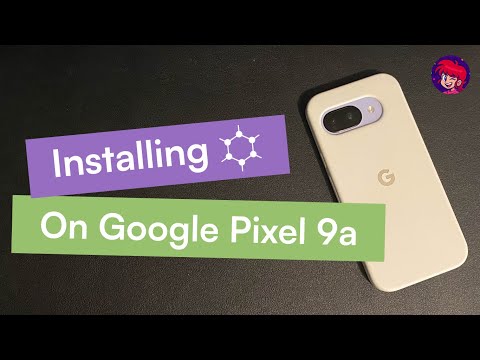
Do you want to install GrapheneOS on your Google Pixel and remove Google from your smartphone forever? In this video, I walk you through the whole process, step-by-step in under 8 minutes. *** ✅ **NEXT STEP:** Now that you've installed GrapheneOS, find out the best apps to install for maximum privacy and functionality! 👉 *** We start with a stock Android phone and go all the way to a fresh GrapheneOS install on the Pixel 9a, with no fluff or unnecessary jargon. If you're new to GrapheneOS, don't worry -- this walkthrough is made for beginners. This guide works on all Pixel phones that are compatible with GrapheneOS (i.e. Pixel 9, 8a, 8, 7a and more). Note: If you're installing GrapheneOS on a Google Pixel that you've been using for awhile, be sure to backup your data first. The installation will wipe your phone! What I cover in this video: - Preparation: Enable developer options and OEM unlocking - How to boot into the fastboot menu - Using the GrapheneOS web installer - Safely unlocking the bootloader and flashing/installing GrapheneOS, and relocking the bootloader - First-boot setup - App installation on GrapheneOS using F-droid and Aurora Quick disclaimer: installing custom operating systems and unlocking your bootloader always has some risk and will wipe your phone. This video is for educational purposes only – you’re responsible for your own device and data. Always double‑check the official docs before you do anything: - Official GrapheneOS install guide: If this helped you get GrapheneOS running on your Pixel, let me know in the comments and tell me what you want to see next. #GrapheneOS #Pixel9a #AndroidPrivacy #DeGoogleYourPhone #GooglePixel #AndroidSecurity
- 838Просмотров
- 2 недели назадОпубликованоSovereign Privacy
How to Install GrapheneOS on Google Pixel 9a (Works on Pixel 9, 8a, 8, 7a - Universal Guide, 2025)
Похожее видео








Популярное
Новини