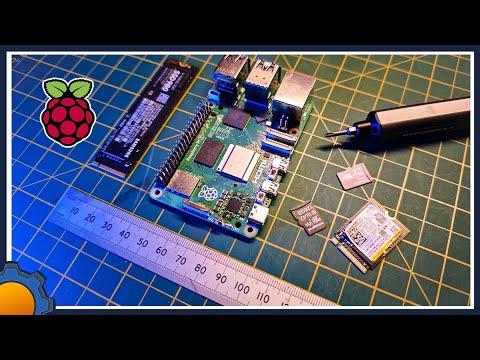
The Pironman 5 case is like a mini gaming PC rig for your Pi 5! It has a lot of great features, including: RGB lighting effects, NVMe M.2 SSD support, OLED Status display, Advanced Cooling and much more. The Pironman software has a great web-based interface for monitoring various Pi5 metrics and customizations. In this video, we'll unbox it, assemble it, install Pi Desktop, install the Pironman software and configure it. Pironman 5 Guide: Items shown (Affiliate Links - Thank you for your support!) • Pironman 5 Case: • Samsung 256GB NVMe Drive: • Beikell SD Card Reader: • Raspberry Pi 5 8GB RAM: • Official 27W USB-C Power Supply: • Gigastone 5-pack microSD cards: Wagner's TechTalk Amazon Store: Items shown (non-affiliate Links) • Pironman 5 case [Sunfounder website]: • Pironman 5 Case [Amazon]: • Raspberry Pi 5 8GB RAM: • Samsung 256GB NVMe Drive: • Beikell SD Card Reader: • Official 27W USB-C Power Supply: • Gigastone 5-pack microSD cards: Chapters 00:00 - Intro 01:09 - Unboxing 03:50 - Pironman 5 Assembly 13:02 - Pi Desktop Software Setup 16:31 - Image to NVMe SSD 17:35 - Pironman Software Setup 19:20 - Other Operating Systems 19:39 - Web-based Configuration 20:49 - CPU Stress Test 21:36 - Safe Shutdown 21:51 - Outro *This video is for Educational Purposes only! *As an Amazon associate, I earn from qualifying purchases. For the latest updates, please visit: If you found this video helpful/informative, please Like / Share the video SUBSCRIBE for the latest: Feel free to ask a question in the comments below or visit my website. I try to answer most questions that we can: Or join us on one of the following social media sites... Facebook: Twitter: #sunfounder #pironman5 #pi5 #raspberrypi #wtt #wagnerstechtalk
- 59968Просмотров
- 1 год назадОпубликованоWagner's TechTalk
Pironman 5 Setup: Raspberry Pi 5 Case with NVMe M.2 SSD - Mini Pi PC
Похожее видео











Популярное
Новини